
HTTP API Push and Integration Guide
Last Updated:3/18/2026
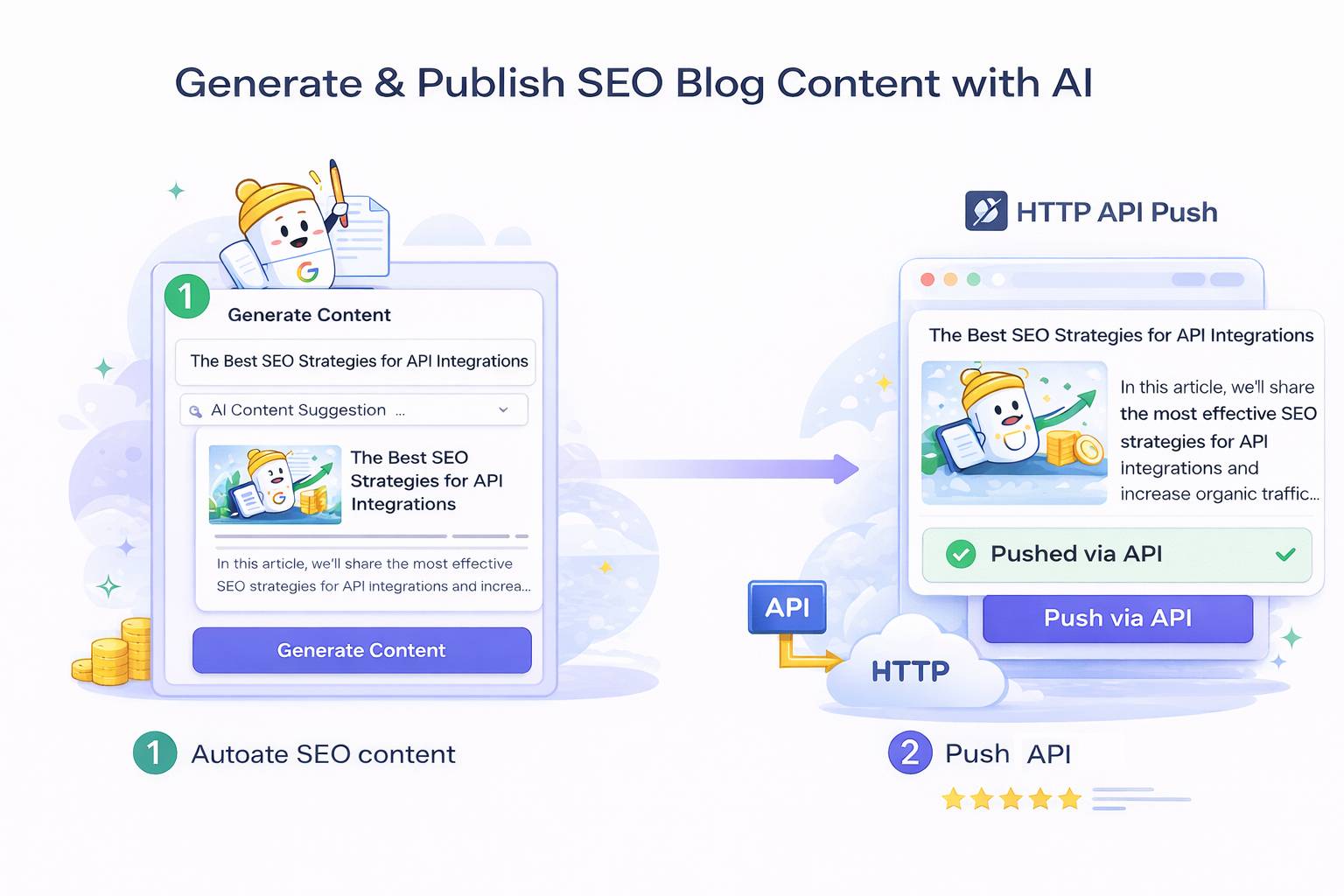
SEONIB supports highly customizable content delivery via HTTP API. You can choose to access the API to actively retrieve blog content, or leverage the HTTP API push feature to have the system “notify” your server immediately after content is generated.
1. API Access (Active Content Retrieval)
If you wish to integrate SEONIB-generated articles into your own applications (such as self-hosted websites, apps, or custom admin backends), you can use our standard API.
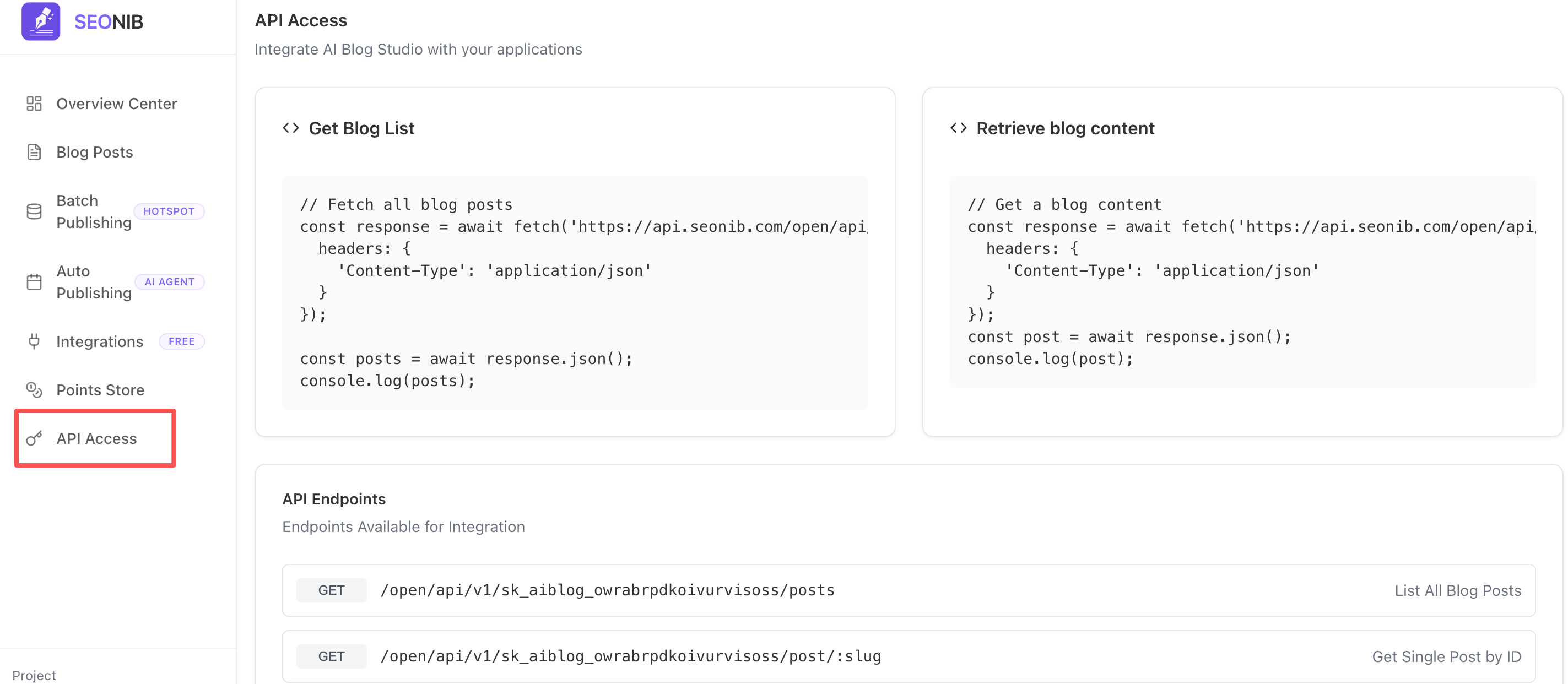
Basic Information
•API Root Address: https://api.seonib.com/open/api/v1/
•Authentication Method: Obtain your dedicated API Key on the API Access page and include Content-Type: application/json in the request header.
Core Endpoints
•Retrieve Blog List: GET /posts: Lists all generated blog posts.
•Retrieve Single Post Content: GET /post/:slug: Retrieve detailed content (including body text, AI-generated images, and SEO metadata) by article ID or Slug.
2. HTTP API Push (Automated Content Distribution)
Upon an AI agent completing a new article, SEONIB can push data to your specified URL via Webhook. This is highly effective for automated pipelines requiring real-time content updates.
Configuration Steps
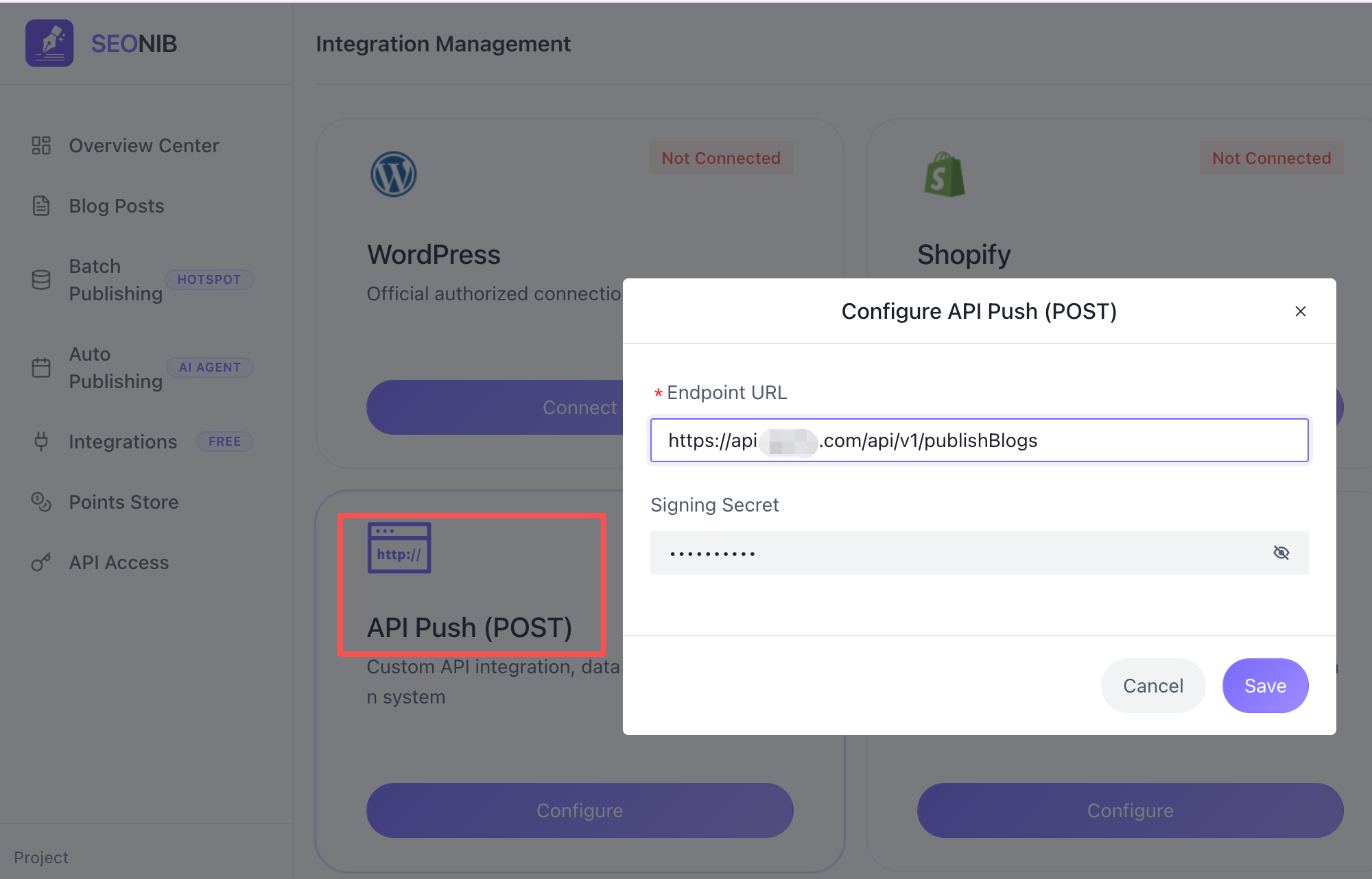
- Log in to the SEONIB control panel and navigate to the “Integration Management” page.
- Locate the “HTTP API Push” module and click “Configure”.
- In the pop-up window, enter the following information: Interface URL: The server address for receiving push data (must begin with https://). Signature Key: The key used to verify request legitimacy. Keep this secure.
- Click “Save”.
Push Mechanism
• Triggering Timing: Triggered when an AI agent completes “Content Generation” and its status changes to “Completed”.
• Data Format: The system sends a JSON-formatted data packet via a POST request, containing article title, body HTML, keywords, summary, and image links.
3. Frequently Asked Questions (FAQ)
Q: Are there API call frequency limits?
A: No limits. We encourage developers to flexibly call the API based on business needs. The system provides stable support for both real-time scraping and large-scale synchronization.
Q: How can I verify the security of pushed data?
A: All HTTP pushes from SEONIB include a signature header generated from your “signing key”. Your server should validate this signature using the key to ensure the content originates from SEONIB and remains unaltered.
Q: Can free users access the API?
A: Yes. Simply enable API access or configure HTTP push in the backend to experience fully automated content flow within your allocated quota.