
How to Connect Your Shopify Website with SEONIB
Последнее обновление:3/18/2026

By connecting your Shopify store to SEONIB, you can authorize the AI SEO Agent team to fully manage daily updates for your store's blog. From tracking industry trends to creating multilingual content, achieve automated growth across the entire funnel.
I. Configuration Steps
Step 1: Locate the Shopify Module
• In the SEONIB dashboard, click “Integration Management” in the left navigation bar.
• Find the Shopify tab in the platform list and click the “Configure” button at the bottom.
Step 2: Establish Official Authorization Connection
• Enter Store Domain: Input your Shopify store's permanent domain (e.g., your-store.myshopify.com) in the pop-up window.
• Complete app authorization: You will be redirected to your Shopify admin. Click “Install App” to grant SEONIB permission to read and write your blog content.
Step 3: Map Blog Categories
• After successful connection, select the blog category (e.g., News) where you want AI-generated content published from the dropdown menu.
• Click “Save.” The connection is successful when the status displays as “Connected.”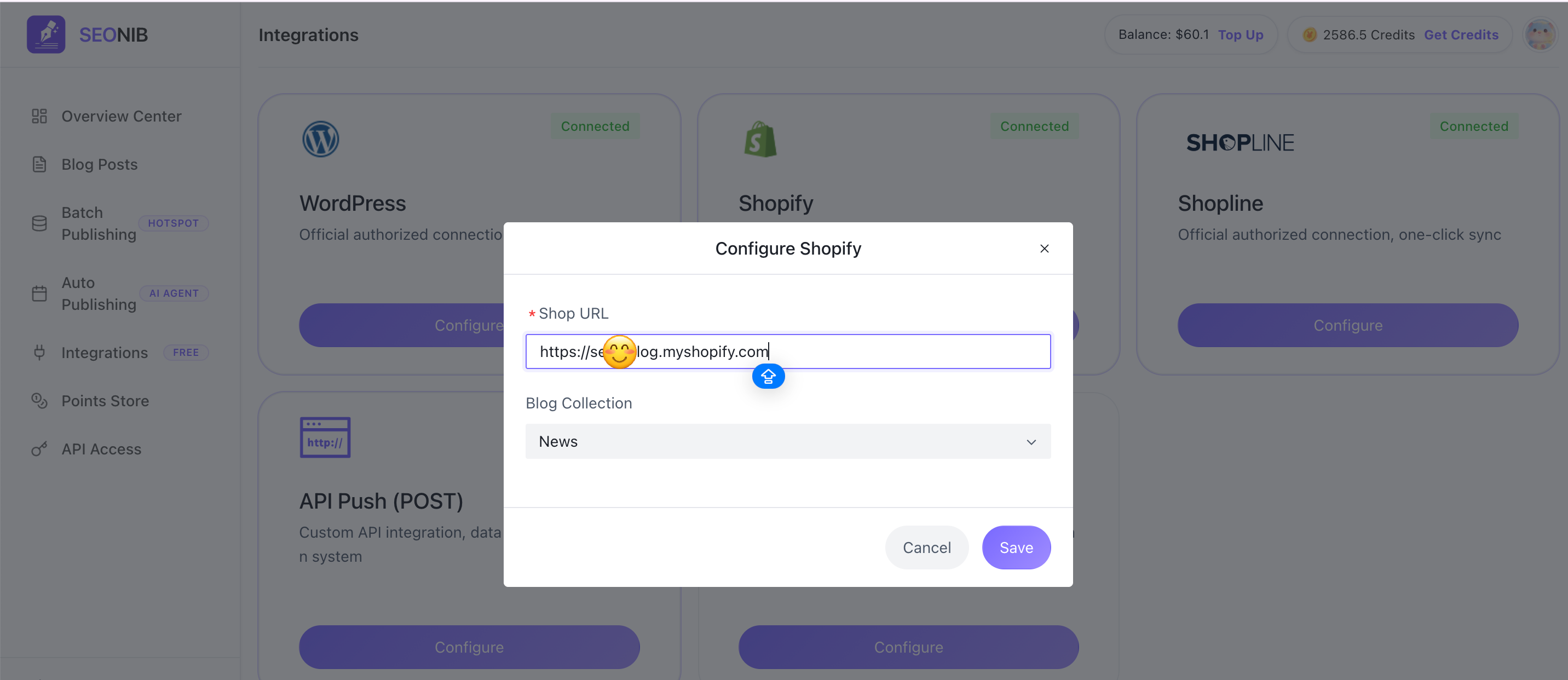
II. Enable 24/7 Auto-Publishing
After integration, activate your AI assistant immediately:
1. Set Signal Sources: Define industry trends or keywords to track in “Batch Publishing.”
2. Create Automation Schedules: Create new tasks in the “Auto-Publish” module, selecting your connected Shopify site as the distribution target.
3. Monitor Growth: Agent monitors trending topics 24/7 and publishes automatically. Track cumulative output via the dashboard.
III. How to View Published Content?
After successful publication, verify in Shopify Admin:
• Path: Log in, click “Content” → “Blog Posts” on the left.
• Verify List: View automatically generated articles on the page.
• Online Preview: Click an article title to access its details page, then click “Preview” to see the frontend display.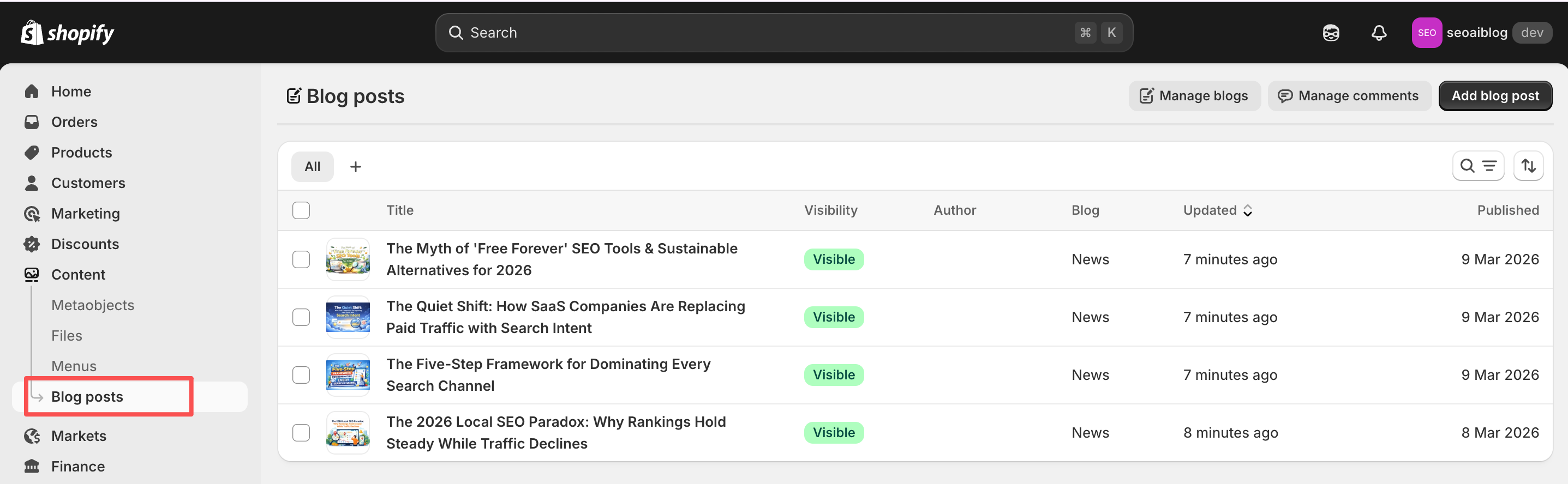
IV. Frequently Asked Questions
Q: Does content synced to Shopify include images?
A: Yes. AI automatically matches and uploads high-quality illustrations to your Shopify media library based on the blog post topic.
Q: Can I publish the same content to both Shopify and WordPress simultaneously?
A: Yes. SEONIB supports multi-platform synchronization. You can select all connected platforms in the task settings.
Q: If I change my Shopify theme, do I need to reconnect?
A: No. Connections are based on API permissions. Changing themes does not affect AI Agent content delivery.