Automating Content for a SHOPLINE Store with AI? My Real Workflow
Every day I open the SHOPLINE dashboard, stare at the empty blog section, and think: “Today I have to manually write three articles and copy them to five platforms.” I’m all too familiar with this scenario—manual content publishing feels like delivering takeout to five different websites every day, exhausting and prone to mistakes. Eventually I handed the whole process over to AI and discovered that content marketing can be as easy as scrolling my phone on the couch over the weekend.
After three years of running independent sites, the clearest feeling I have is: manual content operations aren’t impossible, but once you finish them you have no energy left for anything else. At least five hours a week are spent on copy‑pasting and formatting—this is just the publishing step, not including topic selection, writing, and image sourcing. If you add those, you lose about twenty hours a week.
Why Manually Publishing SHOPLINE Content Is Like an Endless Marathon
The biggest problem with manually operating the SHOPLINE blog isn’t that you can’t write, but that the repetitive labor is excessive. Topic discovery is slow—browsing industry news all day makes you dizzy and you still don’t know which topics will drive traffic. Writing takes time—a decent blog takes anywhere from an hour to half a day from idea to finished draft. Publishing is repetitive—after editing in the SHOPLINE backend you still have to copy to WordPress, Shopify, each with its own editor and formatting quirks.
The most annoying part is multi‑platform sync. Once I wrote a product review for SHOPLINE and copied it to Shopify, I forgot to change the image link, so the Shopify site showed a garbled picture. This low‑level mistake adds at least fifteen minutes of re‑checking.
Moreover, the manual process naturally destroys brand consistency. The same product written with a professional tone today and a casual tone tomorrow instantly tells readers it’s not the same team. This hits brand trust harder than you might think.
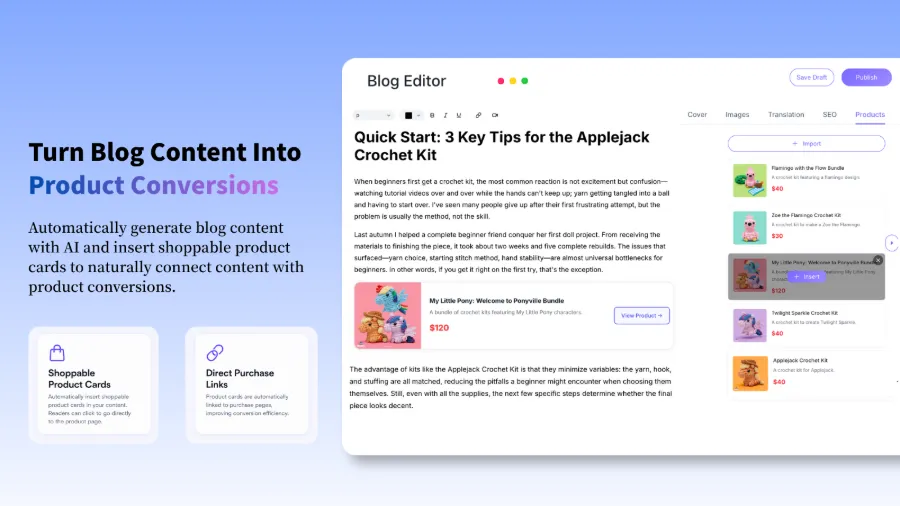
The biggest headache is that content output frequency relies entirely on willpower. When you feel good you can publish four or five pieces a week; when you’re busy you may go two weeks without a single post. Search engines love continuously updated sites, and a break in publishing wastes the weight you’ve built up.
Then I did something: I gave the content production itself to automation. I’m not saying I stopped writing at all, just that I stopped doing the heavy lifting of repetitive copying. After experimenting with automation tools for a while, I found a tool called SEONIB that actually covers these pain points in its workflow design—from topic discovery to publishing across multiple platforms, all in one streamlined line.
How AI Helps Me Discover Hot Topics and Generate Content 24⁄7
The first step of AI automation isn’t writing, it’s discovering what to write. I compared the two: manual hotspot hunting takes 20 minutes a day scrolling industry forums, Google Trends, social media, and the topics you see are often already a day or two old. AI monitors real‑time data streams—trends across platforms, keyword search volume changes, competitor content updates—and can tell you “this direction has traffic potential right now, write fast.”
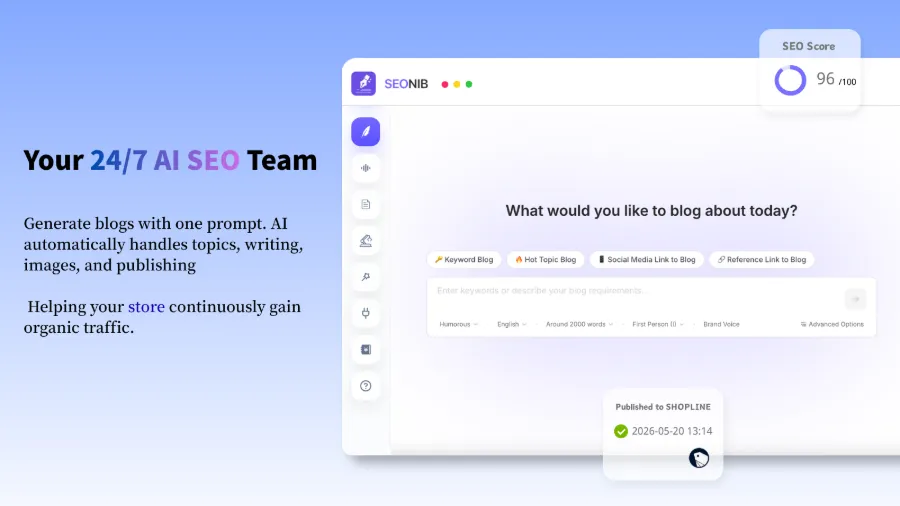
The way content is generated is more flexible than I imagined. I tried several input sources: give it a product link and it automatically creates a buyer’s guide and tutorial blog—perfect for SHOPLINE stores, saving the hassle of manually writing new product introductions each time. Give it a long‑tail keyword and it produces a fully structured SEO blog with metadata automatically filled. Feed it a popular tweet or YouTube video link and it can turn that into an indexable article.
Using external reference links also generates content while preserving the originality of core information. I once fed a very information‑dense document as a reference and got a ready‑to‑publish blog in about 30 seconds.
| Comparison Dimension | Manual Workflow | AI‑Automated Workflow |
|---|---|---|
| Topic Discovery | Browse industry forums daily, 20 min | AI real‑time multi‑platform trend monitoring |
| Content Writing | 1 article per hour minimum | ~30 seconds per article |
| SEO Optimization | Manually fill keywords, summary | Auto‑generate metadata and structure |
| Multi‑Platform Publishing | Log in one by one, copy‑paste | One‑click auto‑sync |
| Weekly Time Cost | ~15–20 hours | ~1 hour preview + adjustments |
Supporting 40 languages seemed pointless at first, but a friend in the Latin American market told me he doubled traffic by translating product content into Spanish and Portuguese. For cross‑border SHOPLINE sellers, this feature isn’t a bonus—it’s essential.
Set Up a Publishing Schedule Once, Let AI Run It for a Whole Year
The most critical step in an automated workflow is ensuring content is output on schedule. When I first set up a timed publishing plan, I was nervous—worried the schedule would get messed up or the server would stall halfway. In practice, after the setup, AI can automatically execute a publishing plan for six to twelve months without any further login.
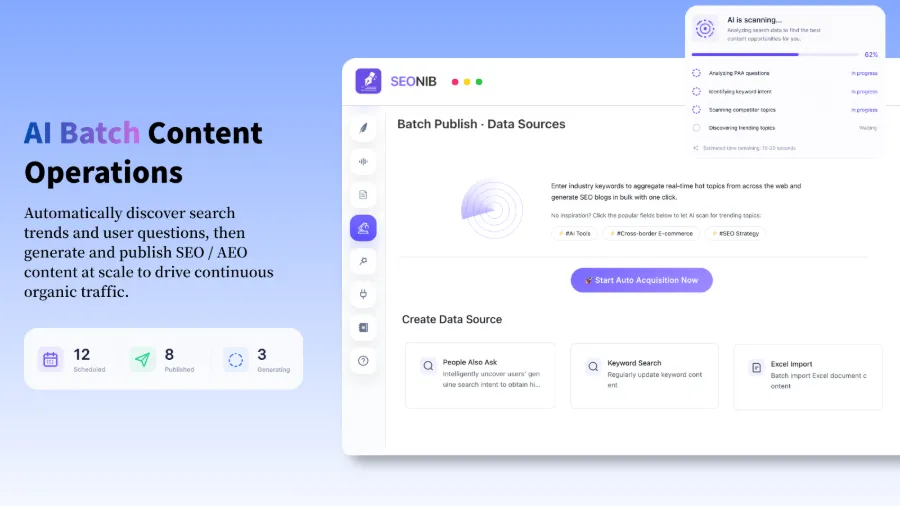
How does it work? I usually pull the content calendar for a week, confirm each time slot has a reasonable article. The AI’s topic library adds new topics daily, roughly 20–30 new ideas per week. I pick the ones that match my store’s category and slot them into the calendar. This selection takes about fifteen minutes each time, saving over 80 % of the time compared to searching for topics and writing drafts.
Multi‑platform sync is the feature I value most. Set up a data source once, and subsequent publishing automatically pushes to WordPress, Shopify, and SHOPLINE. I no longer have to log into five backends every day or worry about missing a copy‑paste.
But there’s a catch: syncing to multiple platforms looks time‑saving, yet each platform’s audience characteristics and search habits differ. SHOPLINE mainly serves Southeast Asia, while Shopify targets the West. The same content transferred directly will have different conversion rates. My current approach: keep localized terminology and case studies in the SHOPLINE version, adapt the Shopify version for North American readers. This adjustment takes only five to ten minutes per post but can boost conversion rates by over 30 %.
Batch publishing settings can follow SEONIB’s Batch Publishing and Data Source Configuration Guide, which provides detailed steps. For deeper configuration, see the SEONIB Help Documentation for a complete guide.
My Content Automation Pitfall Guide—AI Isn’t a Magic Pill
I have to be honest: I initially trusted AI automation completely and it backfired.
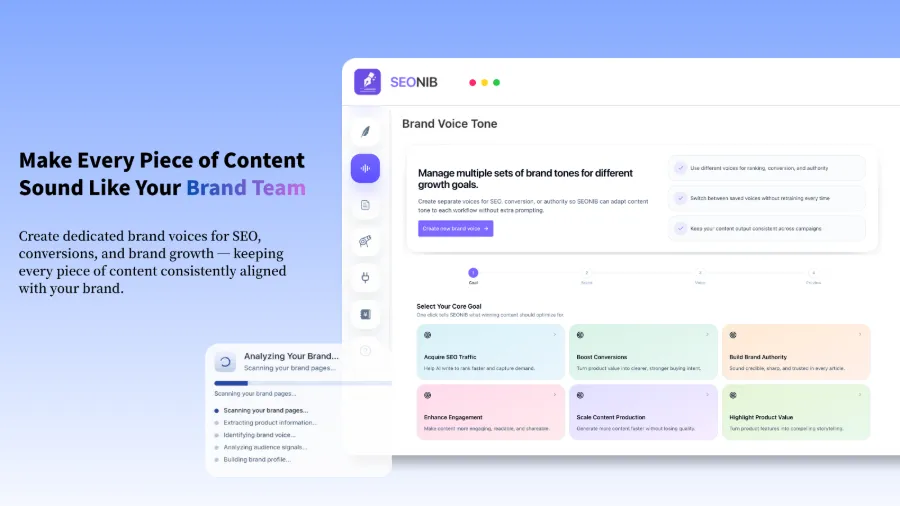
That week I set a daily auto‑publish plan with no preview or adjustments. Three days later I checked the data and found three consecutive posts with wildly inconsistent brand tones—the first read like an academic paper, the second like a joke, the third like a press release. Readers would think the store was schizophrenic. The metrics for that week plummeted, and the impression score dropped nearly 40 %.
That failure taught me two things. First, AI‑generated content must be manually previewed. You don’t have to read every article, but randomly audit about 30 % of the output, focusing on brand tone consistency, factual accuracy, and correct product information. Second, brand context configuration is crucial. After I filled in brand data—voice description, common terminology, product details—approval rates jumped from around 40 % to over 95 %.
Complete Guide to Customizing Brand Voice for Better AI Search Rankings explains how to set up AI so the text feels like it was written by your team, not a soulless machine.
Another issue is originality. AI sometimes copies the sentence structure of reference sources, which search engines may penalize. My solution is to raise the “originality weight” in the settings and ensure the reference links are diverse before each generation. If the generated content is too similar to existing articles, I rerun it—usually the result improves significantly.
There’s also the matter of indexing speed after publishing. New sites or sites with infrequent updates may not be indexed immediately even if AI pushes out content in bulk. I wrote a full diagnostic approach for slow indexing, and Solution for Indexing Issues on New Websites focuses on using IndexNow pushes and internal linking optimization to accelerate the process.
Frequently Asked Questions
Will AI‑generated content be flagged by search engines as duplicate or low‑quality?
It can be, but the key is originality and real user value. I recommend a human review after AI generation to tweak phrasing and add brand perspective. Raising the originality weight also reduces duplication. In my tests, manually fine‑tuned AI content passes search engine quality checks over 90 % of the time.
After using AI to auto‑publish blogs on a SHOPLINE store, do I still need to manually update product pages?
Core product information—price, inventory, specs—should be maintained manually. AI is better suited for explanatory content, buyer guides, and industry blogs. Product pages and blog pages complement each other: blogs drive traffic, product pages convert.
I’m not a coder—can I set up an AI auto‑publish workflow?
Yes, the entire setup requires no code. You’ll configure: connect your SHOPLINE store, set data sources, define brand context, and choose publishing frequency. All of this is done through a visual interface, and you can have the first automated publishing flow running in about thirty minutes.
Is the translation quality reliable when generating multilingual content?
For everyday use, the translation quality across 40 languages is sufficient for natural SEO traffic. For markets requiring deep localization—like Japan or Arabic regions—I recommend a native speaker polish. My current workflow: after AI generation, run the text through a language platform for proofreading, focusing on terminology accuracy and grammatical conventions.
Can AI find hot topics specific to my store’s industry, or only generic topics?
It depends on the industry sources you configure. By default, AI scans multiple platforms for hotspots, but if you tell it your vertical niche—e.g., “outdoor camping gear” or “smart pet accessories”—it will prioritize topics related to those categories. This configuration lives in the brand context; the more detailed you are, the more precise the topic suggestions.
Share Article