From Manual to Autonomous Content: How I Used AI to Cut 80% of Repetitive Work
Open the content calendar from last September and you’ll see 12 “publish” entries and about 15 “forgot to publish” notes. Manually picking topics, writing, adding images, and logging into five different back‑ends one by one—after three months of this workflow I finally understood why many independent sites stop updating. This article talks about the real time saved and mindset shift after I switched from a “manual laborer” to an AI‑driven process.
In the past six months I manually published roughly 60 blog posts, each taking an average of 47 minutes from topic selection to publishing. That works out to almost a full workday each week just for content creation. After switching to an automated pipeline, the same workload shrank to 2–3 minutes—not because generation is faster, but because I no longer have to sit in front of a screen watching it.
First, do the math: how much time manual work actually consumes
On Monday at 9 am I turn on my computer; the browser’s tab bar is already a full line: ChatGPT, Shopify backend, WordPress dashboard, Google Trends, plus two competitor sites. I start scrolling social media for inspiration, checking keyword tools for search volume, then copy‑pasting between three platforms. Just logging in and waiting for pages to load wastes nearly 20 minutes each day.
A typical day’s time breakdown looks like this: 25 minutes for topic and keyword research, 15 minutes for ChatGPT to generate and edit content, 12 minutes for image selection and SEO settings, 15 minutes to log into different back‑ends and publish. By the time I finish one article, I’m already unwilling to start the second.
Three months later, the publishing frequency dropped from three posts per week to one post every half‑month, and traffic naturally didn’t increase. My daily work became anxiety over “whether I published” rather than satisfaction from “what I wrote.” I later realized the problem wasn’t my writing ability but that the workflow simply wasn’t sustainable for a single person. If you’re a Shopify seller, you might want to check out Every independent store should run a blog, but first you need to solve the publishing efficiency issue.
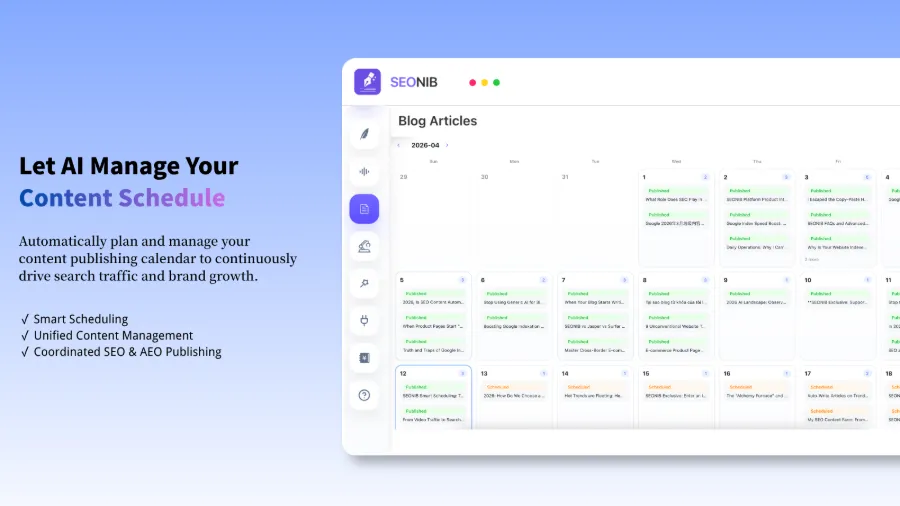
AI pipeline in contrast: once configured, the AI automatically selects topics from a trend library each day, generates articles, adds images, fills SEO fields, and pushes them to the platforms on a preset schedule. I only need to spend 10 minutes on Monday reviewing next week’s calendar; everything else runs automatically. The most immediate change is that I no longer scramble between back‑ends.
How AI turned “topic hunting” into an automated push
The biggest pain of manual topic hunting is “what to write today.” I tried scrolling Twitter for competitors, checking Google Trends daily, and comparing search volumes in keyword tools. Eight out of ten times, after half an hour of effort I still ended up with a topic no one searched for.
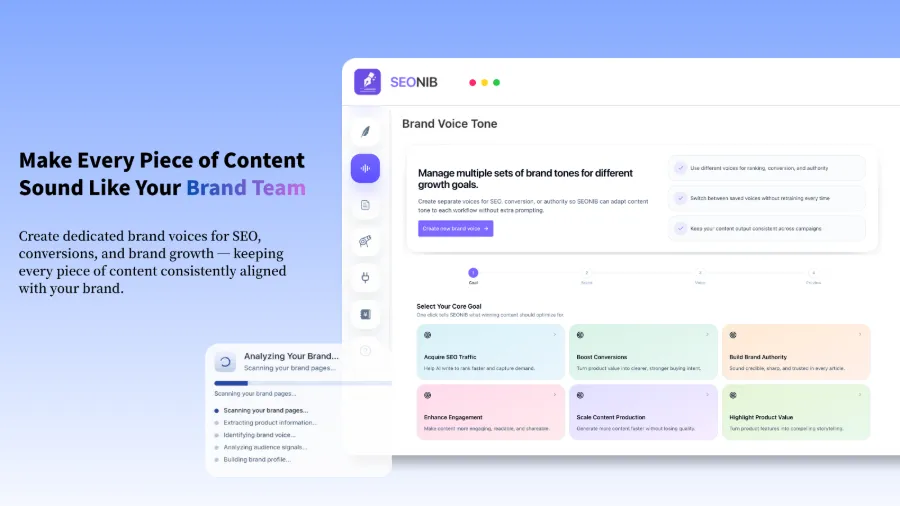
Then I started using the content automation feature of SEONIB. It does something very simple: it monitors industry trends and competitor activity in real time, automatically identifies topics with traffic potential, and pushes them to my topic pool each day. The day after I set it up, the dashboard showed 24 new topic suggestions, many of which I would never have thought of myself.
The essence of this shift is that “I actively search” becomes “it pushes to me.” I no longer need to force myself to spend an hour each morning looking for inspiration. I open the push list, pick something I’m interested in, click confirm, and the AI starts drafting the first version.
Less obvious discovery
The real value of automation isn’t “speed,” it’s “stability.” Search engines prefer a site that consistently publishes three posts per week over one that suddenly drops ten posts in a month and then goes silent for six weeks. The inflection point for traffic growth is usually not a single viral article but the cumulative coverage of search results from continuous output. From this perspective, the 5 ways AI can auto‑generate articles are worth a look; different content sources can be combined.
The crazy part—it even handles the publishing step
Manual publishing is the most annoying part. After finishing an article I have to log into the Shopify backend, create a new page, paste the text, adjust formatting, set SEO title and description, upload images, then switch to WordPress and repeat the same steps. If there are three platforms, that’s three times the workload.
AI‑ automated publishing solved my biggest pain point: one‑click scheduling. I just configure the API connections for each platform in the backend, set the publishing frequency and time, and the rest runs automatically. When I saw the AI build an entire content site—including homepage, product pages, and blog pages—in under two hours (versus the 30 days it took me to manually build a comparable site), I realized the problem wasn’t lack of effort but outdated tools.
The video demonstrates how to sync blog content to Shopify with a single click. The first time it worked, I stared at the screen for a few seconds—once I confirmed the article appeared on the Shopify front end, I closed all backend tabs.
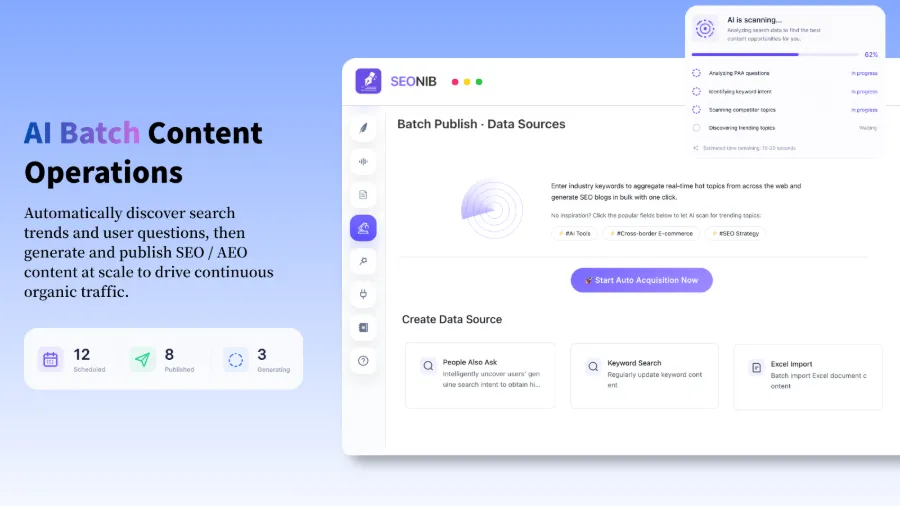
If you’re already operating multiple platforms, Batch publishing and data source configuration can set up synchronization rules for all channels at once, including Shopify, WordPress, SHOPLINE, and Medium. After a one‑time configuration, no manual steps are needed.
Read the help docs for detailed setup
When all platforms update automatically, I finally get a good night’s sleep
The biggest benefit of automation isn’t more time; it’s that I no longer have to wonder “Did I publish today?” before bed. Content keeps flowing, search engines keep indexing, and traffic grows slowly but steadily.
Another change I never anticipated: after giving up perfect control over every sentence, traffic actually started to rise. I used to cram every article with opinions and details, which raised quality but lowered publishing frequency, and Google never gave me a chance. Now I make only minimal edits to the AI‑generated draft; the quality might be a 75 out of 100, but publishing three posts a week yields nearly 40 articles in three months, and the cumulative search coverage finally pushes total traffic upward.
SEONIB supports multilingual content management in 40 languages; product links can be turned directly into buyer guides, and keywords automatically generate SEO blogs. Once the ecosystem is running, it’s like an engine that never needs refueling.
I once tried a scenario: paste a product link, and the system automatically generated five buyer guides and comparison reviews from different angles, each pushed to a different platform. This “content sprouting from a product page” method is far faster than brainstorming from scratch.
If you’re interested in the practical direction of AI SEO strategy, check out this external document, which contains ideas on entity optimization and topic authority.
My current routine: log in each morning to glance at the dashboard, confirm tomorrow’s publishing plan, then shut down the computer. Content keeps running, traffic keeps climbing, and I can finally focus on tasks that truly require a human.
FAQ
Q1: Can people without a website use these tools?
Yes. A friend of mine had no site at all and used AI to generate a full content site in about 10 minutes, from domain input to live launch. The tool includes a built‑in site builder, no coding required.
Q2: Do I need to log in every day after setup?
No. I usually spend 10 minutes on Monday reviewing next week’s schedule; after confirming it, I don’t log in for the rest of the week. If a publish fails, the backend sends a notification and I just handle it.
Q3: Which platforms are supported for syncing?
Currently we have direct integrations for Shopify, WordPress, SHOPLINE, Medium, Bolt, and Webflow. Most major e‑commerce and CMS platforms have ready‑made integration solutions.
Share Article