
How to Make Codex Automatically Generate SEO Blogs and Publish to Shopify
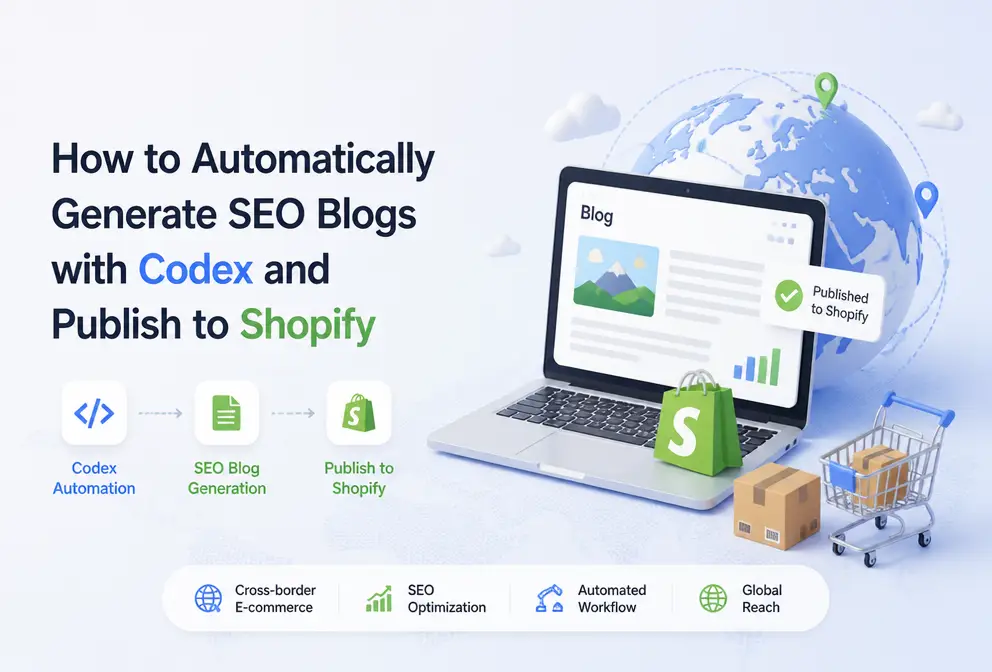
Cross‑border e‑commerce teams repeat a somewhat clunky workflow every week: first find topics in search results and social media, then gather product specifications, write the article, and finally add SEO title, meta description, URL, tags, and image alt text before logging into the Shopify admin to copy, paste, format, and publish. The most time‑consuming part is often not the writing itself but these scattered steps.
Having Codex write an article automatically only solves the content‑generation part. To reliably get the article into a Shopify blog, you also need to connect brand assets, content rules, publishing APIs, field validation, and post‑launch data review. Otherwise, the team merely swaps “manual writing” for “automatically generated drafts that still need manual correction.”
Codex can handle task reading, brand knowledge retrieval, and SEO‑blog generation, but stable publishing requires four cooperating pieces: structured input, fixed output format, Shopify field mapping, and post‑publish indexing and conversion checks. The automation goal isn’t just seeing “Published” in the backend; it’s confirming the page is reachable, the theme matches, links work, and that explainable data changes appear over the following weeks.
Break the Shopify content task into a process Codex can execute
The automation target shouldn’t be written as “let Codex write an SEO article.” That sentence lacks input, judgment, and delivery criteria. For a cross‑border e‑commerce team, a complete task includes four stages: topic discovery, content generation, scheduled publishing, and multi‑platform synchronization. Shopify is the primary publishing target; other platforms are only downstream sync nodes.
The first stage is to determine why the article is worth writing. The target keyword is just a starting point; you also need to assess the target market, search intent, and whether the product can truly answer the question. For example, “how to choose waterproof hiking shoes” and “price of model X hiking shoes” have different intents— the former fits a buying guide, the latter is closer to a product or price page. If Codex only receives a single keyword, it usually can’t make this boundary judgment for the team.
The input to Codex should be structured and include at least:
- Target keyword, target country or region, language, article type, related product links, internal linking rules, and brand tone.
The second stage is data reading and article generation. Codex reads product specifications, dimensions, materials, shipping zones, and FAQs from the brand knowledge base, then generates H1, H2, body copy, summary, meta description, slug, internal linking suggestions, and image alt text according to the task rules. Content not provided in the source material should be flagged as “needs confirmation” rather than filled in by the model.
The third stage is scheduled publishing. A Shopify blog post includes not only title and body but also author, blog category, tags, summary, featured image, URL, and SEO fields. The body typically needs to be converted to HTML, and image URLs must be accessible to Shopify pages. Every field should have a clear source; otherwise, bulk tasks can easily end up with correct titles but empty summaries or duplicate URLs.
The fourth stage is synchronization. One content workflow can cover more than ten publishing platforms, but the primary flow should first stabilize Shopify before considering WordPress, SHOPLINE, or other channels. The more platforms you sync, the greater the field differences; a blog category available in Shopify may not map directly to another CMS.

Configure Codex’s brand assets, prompt rules, and SEO output format
Codex’s task instruction cannot simply be “generate a top‑ranking article.” Reusable instructions must specify the target audience, search intent, article structure, keyword usage, factual boundaries, product mention restrictions, and CTA rules. They should also state which content must be sourced from existing material and when to pause if uncertainty arises.
It’s best to store brand knowledge base content as separate business documents rather than dumping an entire product manual into one long text. Product specs, return policies, shipping zones, warranty conditions, FAQs, and prohibited claims should each have timestamps. Cross‑border sites especially need to record country differences—for example, delivery times may differ between the US and the EU, and promotional promises allowed in one market may not be suitable for another.
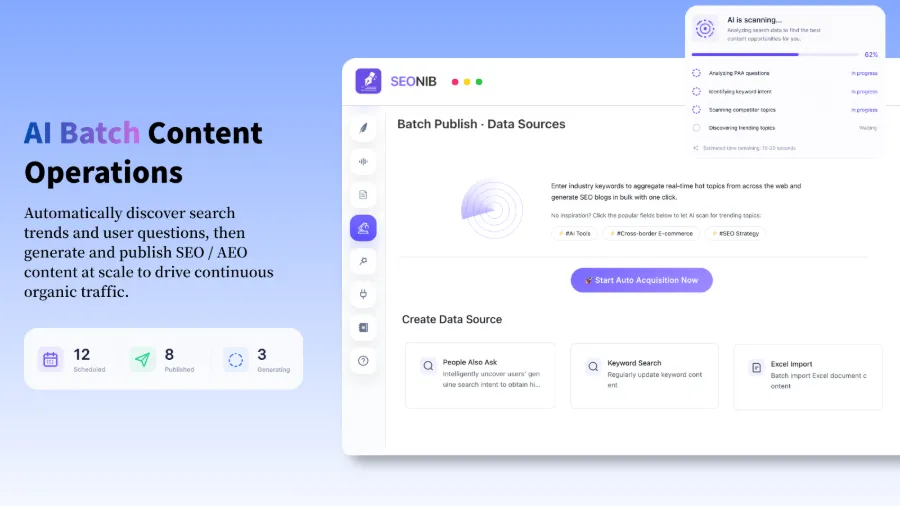
When connecting brand rules, content generation, and publishing actions, teams often use SEONIB as a workflow node: Codex executes the task, the system saves brand assets and generated results, then fields are pushed to Shopify. It’s important to delineate tool boundaries—no platform should decide for the team that a return policy is outdated, nor should it automatically guarantee article accuracy after inventory changes.
The SEO blog output format should be fixed. A runnable format typically includes H1, H2, summary, meta description, slug, internal link locations, image alt text, and Shopify tags. If the output goes straight into the publishing program, the format must also define which parts are plain text, which require HTML, whether links may contain tracking parameters, and how to handle abnormal title lengths (e.g., route to manual review).
Multi‑language content challenges go beyond translation. Product data can be generated in 40 languages, but each language still needs separate checks for keywords, search intent, product entities, and internal link relationships. Chinese users searching “how to clean waterproof shoes” may expect step‑by‑step instructions; English users using a similar phrase may care more about material compatibility and warranty limits. Simply translating keywords often preserves a flawed article structure.
When the topic source includes keywords, product links, social media, and reference pages, the data source must be recorded in the task to avoid mixing conclusions from different origins. Bulk tasks can follow the organization of the Batch Content Publishing Process, but each source should still undergo fact‑checking.
Have Codex generate the article and then complete publishing via Shopify fields
The execution chain is best fixed as “read task → generate draft → validate fields → write to Shopify → save as draft or publish.” “Write to Shopify” is not a simple copy‑paste; it maps Codex’s output—title, HTML, summary, tags, and image info—to the corresponding fields in the Shopify Admin.
| Process Stage | Codex Handled Content | Result in Shopify | Manual Confirmation Needed |
|---|---|---|---|
| Topic Input | Read keyword, product, market | Create blog task | Search intent and product match |
| Article Generation | Output body, summary, SEO fields | Generate data to be written | Facts, tone, links |
| Shopify Field Mapping | Convert HTML, tags, image info | Write into blog article fields | Author, category, URL, images |
| Post‑Publish Check | Record response status and page URL | Draft or published status | Page accessibility, indexing, layout |
Shopify must verify title, body HTML, author, blog category, tags, summary, featured image, and SEO metadata. Structured data should also be checked for consistency with page content; you can’t assume search engines will always show rich results just because a template emits Schema.org markup.
One content workflow can cover more than ten publishing platforms, but this article treats Shopify as the primary target. The more platforms you add, the more you must handle differing field names, HTML restrictions, image hosting, and canonical tags. Multi‑platform sync may save login time but expands the scope of failure diagnosis.
If Shopify’s native integration is insufficient, teams can use HTTP API or Webhook to hand the generated result to an existing publishing system. This requires configuring authentication, request fields, response status, and retry logic—API publishing is not a plug‑and‑play switch. First review the HTTP API Push Configuration, then decide who is responsible for retries and logging based on the existing system.
Content understandability also impacts downstream SEO and AEO. If product names, specs, use cases, and page relationships are expressed incompletely, both the model and search systems will struggle to identify page entities. For guidance on entity information and content structure, see Improving Site Content Understandability. Teams can also use the Content Automation Help Docs to verify fields and push workflows.
New products, market pages, policy articles, and price‑related content are best saved as Shopify drafts initially. Only when product data is stable, templates have been validated through multiple rounds, the API returns normal responses, and manual spot‑checks pass should you consider direct publishing. Automated publishing reduces backend work but does not eliminate responsibility; it merely spreads errors from a single page to an entire batch.
Use scheduling, content calendars, and check logs to maintain continuous publishing
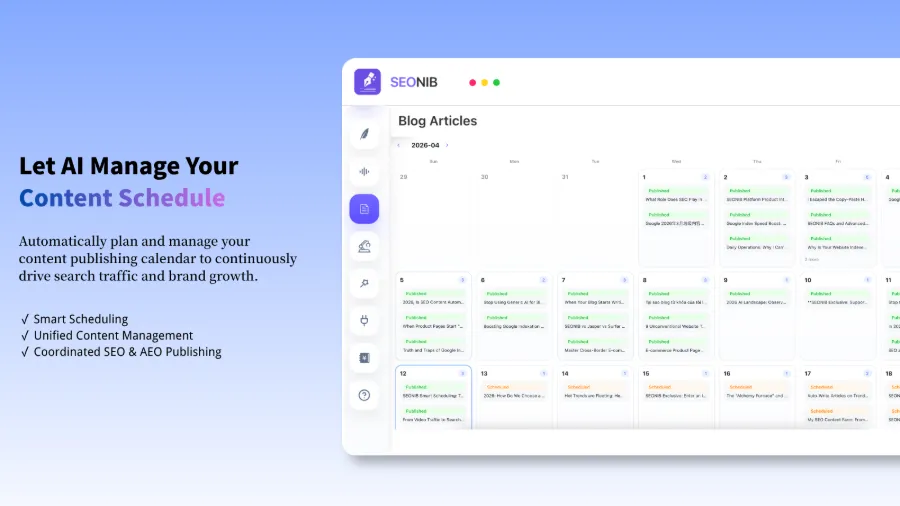
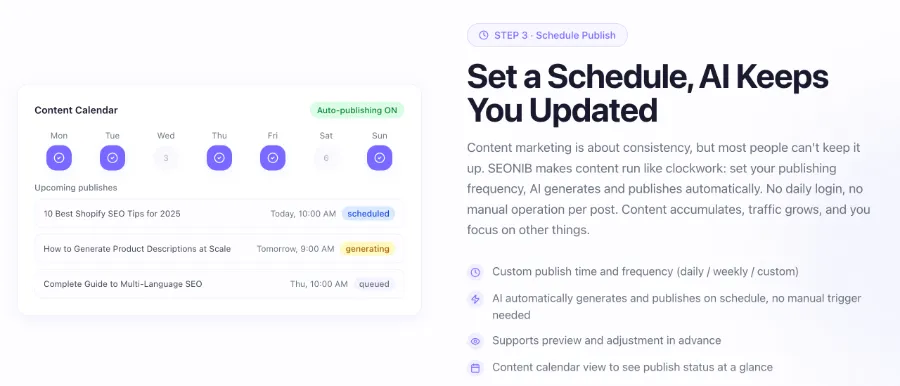
Scheduled publishing should first set frequency, publish time, target blog, and theme scope. Daily, weekly, or custom frequencies are all possible, but generating a large volume of similar articles in a short period is not advisable. If a Shopify blog consecutively publishes a dozen titles that are too similar with duplicate internal links, the number of published pieces rises while thematic coverage may not.
A content calendar must track statuses such as pending generation, generating, pending review, published, and failed, and retain task input, generation time, Shopify response, and final URL. Teams can follow the status‑tracking approach from the Independent Site Continuous Publishing Practice, but should not treat “successfully written to backend” as final success.
In a first bulk‑publish run, Codex generated the articles and the tasks appeared complete. When going live, the Shopify field mapping sent blog categories in an unsupported format, and the authentication configuration lacked the required permissions, causing API failures. The team only discovered the issue after the scheduled publish time and then spent roughly half a day checking authentication, field formats, image URLs, duplicate URLs, Shopify permissions, and API logs, ultimately missing the day’s publish window.
This incident didn’t result in incorrectly published pages, but it exposed another problem: without a draft status, the team could only rerun the entire batch after failure; without error logs, they had to repeatedly refresh the backend and compare request payloads. Later, the workflow added draft status, a retry limit for failures, field‑level error logs, and a manual review step. Publishing speed temporarily slowed, but subsequent batches became easier to troubleshoot.
Scheduling and sync nodes like SEONIB also introduce new logging requirements for operations. Tasks may appear complete in the content system but stall at the publishing stage due to Shopify permission changes or broken image URLs; if the content is also synced to other platforms, the team must know which channel succeeded and which failed, rather than using a single overall status.
The post‑launch observation period should be at least four weeks before adjusting topics and publishing cadence. Google Search Console metrics—indexing, clicks, impressions, and average position—combined with Shopify’s organic traffic and conversion rates, reveal whether the article is effective. Seeing “Published” in Shopify only means the page was written successfully; it does not guarantee indexing or that visitors completed a purchase.
Pre‑ and post‑launch quality control: prevent automation from amplifying errors
Quality control can follow four inspection layers: facts, search intent, page fields, and publishing results. Fact checks cover product specs, price, shipping, and policies; search intent checks verify the article answers the user’s question; page field checks examine URL, HTML, internal links, and image alt text; publishing results check page accessibility, indexing, click‑through rate, and conversion rate.
Before launch, also ensure the article isn’t just keyword stuffing. Meeting a keyword frequency target does not equal usefulness; if the title says “how to choose a camping lamp” but the body repeatedly repeats product names without comparing brightness, battery life, and usage environments, the page struggles to establish a clear thematic relationship. Internal links should not be added solely to increase count; product pages, buying guides, and after‑sales pages need explainable pathways.
Automation workflows need stop conditions. If data is missing, keyword meaning is ambiguous, product links are broken, images can’t be fetched, or Shopify returns an error, publishing should pause and retain the task state. This is especially critical for price‑ and policy‑related articles, where a single outdated fact can appear across multiple country versions and channels.
After publishing, teams can review Search Visibility, indexing status, click‑through rate, and conversion data to assess content quality. A common but surprising scenario is that an article receives impressions but suffers low CTR because the title doesn’t match local phrasing; another case is increased clicks but a product link leading to an out‑of‑stock item, causing conversion rates to drop. Data feedback should feed back into the next Codex task rules, not just increase publishing frequency.
The trade‑off of automatically generated content is straightforward: publishing efficiency improves, but proofreading responsibility does not disappear. The larger the scale, the more errors can appear across many pages. Only after embedding Codex within a workflow that includes brand assets, Shopify fields, logs, draft status, and Search Visibility review does it become more than a writing tool—it becomes a content execution process that can pause, validate, and track results.
FAQ
Can Codex publish an article directly to Shopify?
Yes, but only after completing Shopify authentication, field mapping, and publishing API configuration. In practice, the workflow usually generates a draft first, then checks HTML, tags, images, and URLs, and publishes only after confirming a normal response; the initial integration should retain a manual review step.
Which parts of a generated Shopify SEO blog need manual review?
Humans should prioritize checking product facts, search intent, price and policy details, product links, internal links, image alt text, and page layout. After publishing, monitor indexing, click‑through rate, and conversion over the next four weeks, because a successful backend status does not equal a completed SEO task.
How do I make Codex write articles according to brand tone and product data?
Provide a structured brand knowledge base and fixed task rules, including target audience, tone, product specs, shipping policy, prohibited promises, and CTA restrictions. The data should have timestamps; if facts are missing, the task should enter a “needs confirmation” state rather than letting the model fill them in.
When Shopify auto‑publish fails, what should be checked first?
First verify authentication credentials and Shopify permissions, then examine field formats, image URLs, duplicate URLs, blog categories, and API response details. Keep failed tasks and request logs for troubleshooting; this is usually faster than rerunning an entire batch, and a single failure can take hours to locate.
After auto‑publishing SEO blogs, how long should I wait before evaluating indexing and traffic performance?
Observe the results continuously for at least four weeks before deciding whether to adjust topics or publishing frequency. Indexing status, impressions, clicks, organic traffic, and conversion rates should be reviewed together; merely increasing the number of published articles does not prove the automation is effective.
Share Article


