I Automated Content with AI and Boosted a Low‑Authority Site’s Rankings – Full Process Breakdown

Manually writing blogs was getting old.
The first thing each day was scrolling news and social platforms, trying to find a topic to write about. After picking a direction, I’d open ChatGPT, generate content, copy‑paste into the editor, manually add images, fill in SEO titles and descriptions, then log into each platform, paste, and publish. After two weeks the update frequency plummeted. Three months later, the rankings were still stagnant.
Then I replaced the whole workflow with automation. Today I’ll walk through the end‑to‑end workflow from research to ranking—no fancy concepts, just the fact that “I did this first, and the rankings moved.”
Step 1: Let AI Replace My Daily News Scraping – Automatic Topic Discovery
Previously I relied on manual scrolling: Twitter, competitors’ blogs, Google search suggestions. It was time‑consuming and I often missed important trends. Once I missed an industry hot spot, a competitor got over 5,000 organic visits from that article while I was writing a niche topic no one searched for.
Later I decided to use SEONIB to monitor topics automatically. It pulls hot topics daily from social media, industry news, and search trends, evaluates keyword search volume, and pushes potential topics into my topic queue. The system pushes 24 new topics each day; I just glance and click confirm, and it becomes a writing task.

This step solved the core problem: no longer deciding update frequency based on “what do I feel like writing today,” but letting data tell me “what should I write today.” Topic quality and speed are now on a completely different level.
Step 2: From Keyword to Article – AI‑Generated SEO Content
With a topic in hand, the traditional process was to open an AI tool, generate, copy, paste, and format manually. In the automated workflow, I just feed a keyword or product link, and the system generates a fully SEO‑optimized article.
SEONIB accepts keywords, product links, social media posts, and other sources, generating an article with one click. The article comes with SEO optimization—title hierarchy, keyword density, internal linking structure, meta description—all handled for you. More importantly, it supports AEO mode, which creates Q&A‑style content that can be recognized and indexed by AI search features like Google’s AI Overviews.
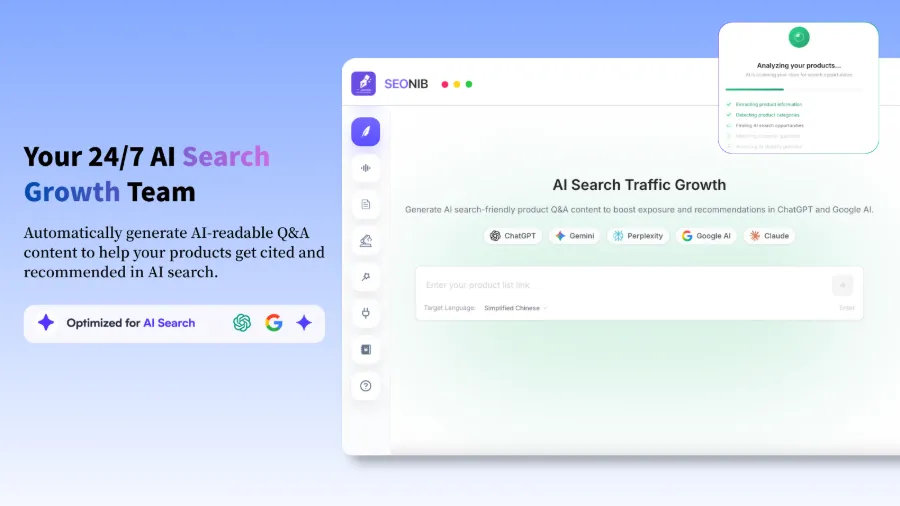
A warning: at first the AI‑generated content was highly homogeneous, almost identical to competitor articles. I later realized I needed to give the AI enough brand context to differentiate. After spending half an hour configuring brand information, industry terminology, and a product knowledge base, the output finally developed its own style. Automation isn’t about dumping everything to the machine; you must feed it good data first.
If you’re still deciding which tool to use, check out this AI Content Marketing Tools Comparison Guide to see each tool’s focus.
Step 3: Set a Schedule and Let It Run – Automatic Publishing and Content Calendar
Content marketing isn’t about a single viral post; it’s about consistent output. My longest sustained effort before was three weeks, manually logging into the backend each day, publishing, adding images, adjusting formatting—repetitive work that drained motivation.
After setting up automated publishing, I only need to define the weekly frequency in the content calendar. I chose two posts per day; the AI generates and publishes on schedule. The system provides a calendar view to preview the upcoming week’s schedule and adjust anytime.
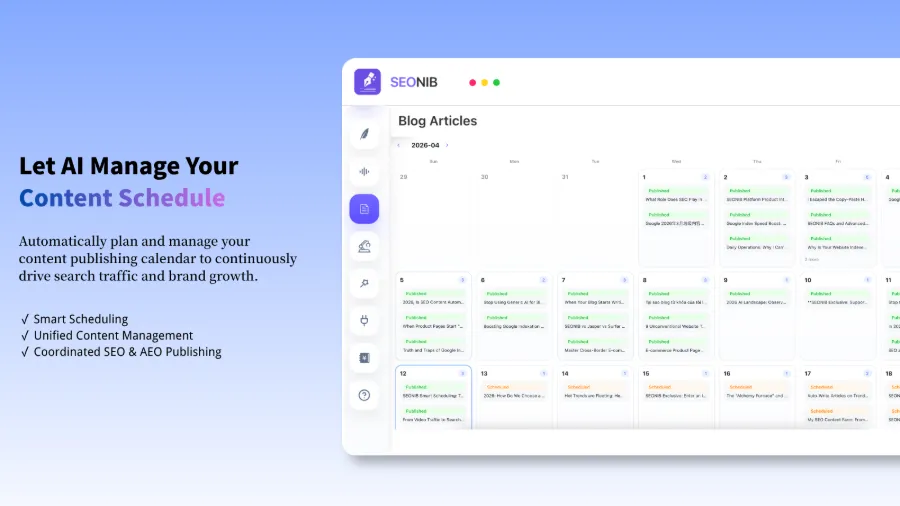
Comparison: previously, a 1,000‑word blog took about three hours from research to publishing; now the AI outputs three blogs daily, and I spend only 15 minutes checking the calendar and tweaking keyword strategy. The saved time goes to product optimization and user research.
But don’t think setting a plan means you can just sit back. The first two months the content volume rose, but rankings barely moved. SEO feedback cycles are slow. By the third month, rankings shifted from page 8 to page 5, then to page 2. Automation handles the grunt work, but strategy and patience still require human oversight.
Step 4: One‑Click Global Sync – Multi‑Platform Publishing and Ranking Verification
After accumulating enough content, the new problem was manually publishing the same article across multiple platforms: logging into Shopify, copying, formatting, publishing; then repeating on WordPress; then Medium or SHOPLINE, etc. Publishing two articles a day meant an hour just on syncing.
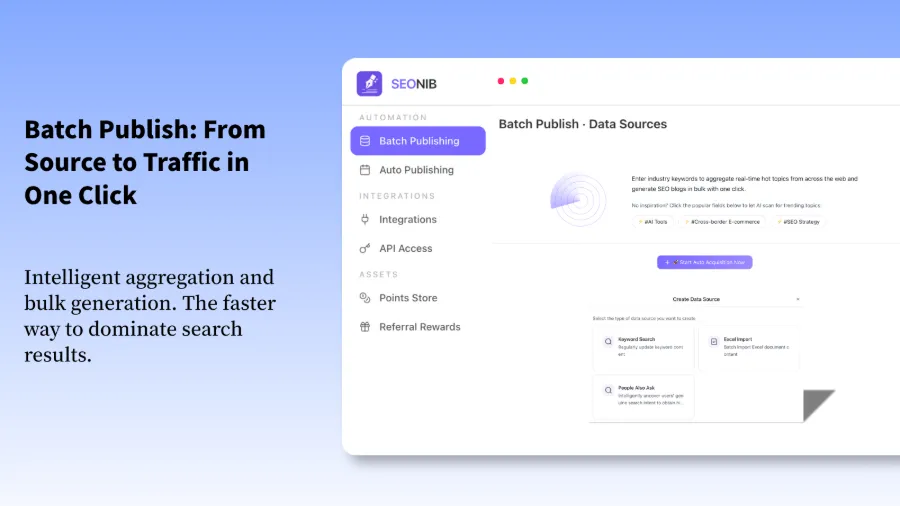
The final automation step solves this pain point. One publish automatically syncs to Shopify, WordPress, SHOPLINE, Webflow, Medium, and more. SHOPLINE has officially confirmed the integration’s effectiveness; see the SEONIB app in the SHOPLINE App Store for details.
After the sync feature launched, I tested bulk publishing—sending ten pieces of content to three platforms at once. The whole process took under five minutes, whereas it previously required at least half a day.
Results verification: after three months, total site traffic grew from an average of 50 daily UVs to 400 UVs, and two AEO Q&A articles appeared directly in Google AI Overviews answer boxes. It wasn’t an overnight surge, but the steady organic growth outperformed any paid ads.
For more operational details, refer to the SEONIB Help Documentation. Also, see this case study of using Accio for product selection and SEONIB for acquisition: Why I Use Accio to Select Products – SEONIB Acquires Customers, another practical record of scaling a low‑authority site.
FAQ
Q1: Can AI‑generated content really rank in search results?
Yes, but it depends on how you use it. Generic AI‑generated content that’s homogeneous struggles to rank because Google now demands high originality. You must configure the AI with a brand knowledge base, industry terminology, and entity terms so it produces differentiated content. My site moved from page 8 to page 2 once the AI content contained genuine informational increments.
Q2: Do I need human review? Will there be factual errors?
Initial review is recommended. In the first two weeks I skimmed each day’s generated article, mainly checking brand names and product specs, which are prone to errors. After about a week, as the knowledge base grew richer, the error rate dropped below 5%. Now I review only once a week, focusing on topic quality rather than each individual piece.
Q3: How long does it take from start to see ranking improvements?
My experience is 2–3 months. The first month is a content‑building phase with almost no ranking change; the second month brings sporadic impressions and clicks; the third month shows noticeable ranking shifts. If your site already has some authority, it may be faster, but SEO feedback cycles never dip below a month.
Q4: Is this workflow suitable for beginners starting a new site?
Yes, but there’s a prerequisite: you must first confirm that the keywords you target have search volume. Many beginners automate massive content generation without validating demand, ending up writing about topics no one searches for—useless no matter how much content you produce. Use a keyword tool to verify demand before launching the automation.
Q5: I already have a manual blog—how do I migrate to this automated workflow?
Migrate gradually; don’t stop manual updates all at once. First, build a knowledge base in the automation system by copying your existing brand information and content style. For the first two weeks, let the AI generate drafts while you publish manually, validate quality, then switch to automatic publishing. My transition period lasted two weeks, during which manual and automated content ran in parallel to avoid traffic gaps.
Share Article