After a week with ChatGPT, Claude, Gemini, and SEONIB, I realized they’re not about who’s stronger – it’s about division of labor

Last week I gave myself a exhausting task: run the same content workflow through ChatGPT, Claude, Gemini, and SEONIB. I expected a clear ranking, but it turned out these tools aren’t competitors at all – they’re four completely different kinds of work. This week made me abandon the obsession with the “best AI tool” and instead learn to ask another question: which tool should actually do this job?
You have to understand that a content workflow is never a single action. It involves at least four stages – topic selection, writing, research, and publishing. A tool can be king in one stage and completely fail in another. This piece is my honest record after matching each of those four stages with the appropriate tool – no ranking, just a mapping of responsibilities.
Brainstorming stage: ChatGPT – gold hidden in nonsense
Topic selection is the most mentally draining part of the content workflow. Most of the time you sit in front of a screen with a mind as empty as a freshly formatted hard drive. ChatGPT’s value at this stage isn’t its precision, but its willingness to talk nonsense.
I asked it to list “10 e‑commerce SEO topics for 2026.” About half of its suggestions were nonsense – e.g., “how to sell socks in the metaverse.” Strangely, those off‑the‑wall ideas forced me to think: what really deserves to be written? The moment I judged a suggestion absurd, I was already thinking, and that wasn’t ChatGPT’s credit; it was my own judgment being activated.
One brainstorming session can produce 15‑20 initial topics, but at least half need to be filtered out by search volume. The trick: use ChatGPT for rapid divergence, then let your own commercial judgment do the filtering. If you want a systematic way to validate whether a topic has search demand, see this guide on How to Quickly Validate Product Search Demand. Also, if you already have reference articles you want to transform, this Guide to Converting Reference Links into High‑Quality Blog Posts fits perfectly at this stage.
ChatGPT’s worst moments are actually its most valuable – when it floods you with unreliable suggestions, you have to decide what’s right. This “negative feedback” is the catalyst for human creativity.
Long‑form editing stage: Claude – lifts your draft from passable to good
After a draft is written, the most painful part isn’t fixing typos but dealing with loose structure, logical gaps, and inconsistent terminology. I fed a 1,300‑word ChatGPT draft to Claude for polishing, asking it to expand it to a 2,500‑word deep article while fixing obvious flaws. The result was surprising – after three rounds of polishing, editing time dropped from 90 minutes to 15 minutes.
Claude outperforms ChatGPT in structuring long texts. It maintains logical links between paragraphs and doesn’t abruptly switch topics. Especially when you need to unify terminology across the whole piece – for example, in a Shopify SEO article, Claude automatically identified and standardized inconsistent uses of “search visibility” and “ranking.” If you want a systematic understanding of the key SEO factors for SHOPLINE stores, see this analysis on Key Factors for Improving SHOPLINE Store SEO Rankings.
Claude has limitations. It tends to over‑rewrite. If your original tone is self‑deprecating or casual, Claude will likely turn it into a formal textbook style. I had a sarcastic opening turned into “In the highly competitive market environment today,” which made me laugh out loud. So Claude should be seen as a structural‑optimization tool, not a tone‑preserver. It can lift a 60‑point article to 75 points, but the final 25 points still require human judgment. For deeper AI editing topics, check out this In‑depth Analysis of AI Roles in Future Workflows.
Research stage: Gemini – Google ecosystem makes data lookup fast
When doing content research, the biggest annoyance isn’t the lack of data, but finding data that’s vague or outdated. Gemini’s deep integration with Google gives it a clear advantage in finding the latest trends and competitor data – at least in speed.
For example, I wanted to write about long‑tail keyword trends in cross‑border e‑commerce. I asked Gemini for the search‑trend changes of a category over the past three months; within 20 minutes it gave me 3‑5 promising long‑tail topics with some search‑volume references. This rapid scanning is extremely useful during topic‑validation. You can try it yourself on Gemini’s official search page and feel its real‑time response speed.
But there’s a pitfall. Once I spent three days gathering industry reports via Gemini, compiled various data sources, and confidently wrote a trend analysis on a new market. A week after publishing, the article got almost zero traffic. Upon closer inspection, the industry report Gemini cited was actually two years old, with data and forecasts already obsolete. AI just faithfully summarized the public material it found, without judging its timeliness. That taught me that Gemini is a great data‑retrieval assistant, but not a data‑quality auditor. It’s fast, but you must verify source dates and credibility yourself.
Thus, in my workflow, Gemini serves as a “quick‑scan tool” – for an initial assessment of a topic’s search potential, not for directly quoting conclusions.
Publishing & scaling: SEONIB – turns content from workshop to assembly line
After the first three tools had done their part, I hit a more fatal bottleneck: not writing content, but publishing it.
Manually logging into WordPress, adding images, configuring SEO metadata, scheduling, then copying to Shopify – this whole process takes at least 20‑30 minutes per article. If your goal is five articles per week, that eats an entire afternoon. So I started looking for automation, and ran into SEONIB.
The change after integrating SEONIB is qualitative – it’s no longer a one‑way “write → publish” flow, but a closed loop of “set frequency → system auto‑generates → auto‑publishes.” It can generate an SEO‑optimized article from a keyword and automatically schedule it to Shopify or WordPress, handling images and internal links too.
A friend of mine runs a Shopify independent store, set a daily publishing frequency, and the system produced and published an SEO‑optimized article every day for 30 days without any human intervention. After two months he barely logged into the backend, yet traffic grew by nearly 40%.
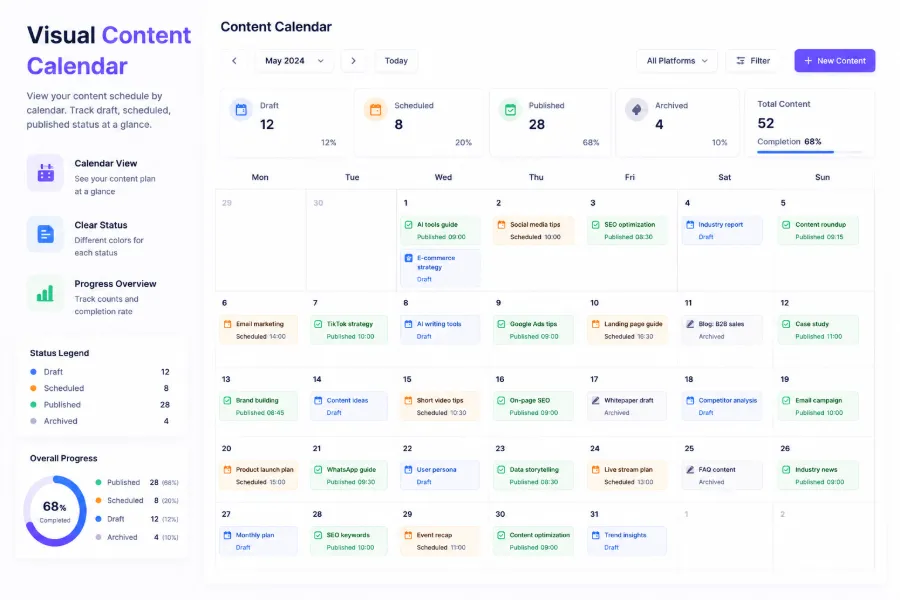
I want to point out something many overlook about automation: its most underestimated value isn’t time saving, but eliminating “publication anxiety.” Once the system guarantees a daily article, you have mental bandwidth to think about topic quality and direction, instead of worrying “I haven’t published anything today.” For people experimenting with multiple AI tool combos, this Free AI Tools & Independent‑Site Growth Tools Collection helps you understand the capability boundaries of each tool.
After SEONIB entered the Shopline App Store, it supports syncing content across platforms, meaning you can set a single schedule and have the article appear on multiple independent sites.
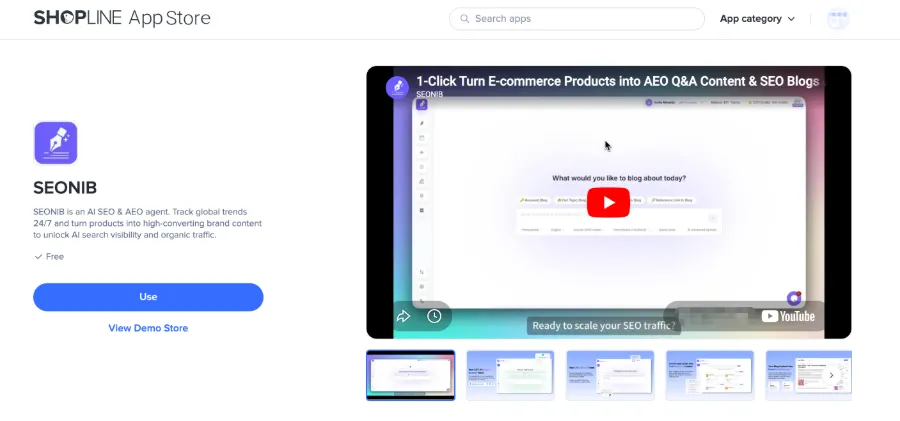
If you need to run this workflow on Shopline, the SEONIB page in the Shopline App Store contains specific integration instructions. For more detailed operational steps, refer to the Complete SEONIB User Guide, which offers comprehensive configuration and workflow guidance.
After stringing this whole chain together, the most intuitive feeling is that the entire pipeline from topic selection to publishing no longer breaks. Previously I could only produce two articles per week; now this workflow supports five per week, and I only need to be involved in the first stage – brainstorming and judgment.
SEONIB’s role isn’t to replace the first three tools, but to turn the content they generate into live pages.
FAQ
Why are these tools not interchangeable?
Because they solve completely different content problems. ChatGPT handles divergence and stimulates judgment, Claude handles structural polishing, Gemini handles quick data scouting, and SEONIB handles publishing and going live. They are four tools for four steps, not different brands of the same knife.
If I could only pick one tool to start the content workflow, which should I choose first?
It depends on where your biggest bottleneck is. If you can’t even come up with topics, start with ChatGPT. If you have a pile of drafts that you can’t improve, start with Claude. If your content never reaches readers, publishing automation (SEONIB) should be prioritized. Do a simple bottleneck ranking instead of just following tool hype.
Does chaining multiple tools really boost efficiency compared to using a single tool?
A single tool saves you switching time, but its performance in a specific stage will be compromised. My experience: a one‑shot ChatGPT write‑and‑publish yields noticeably lower quality than a division‑of‑labor pipeline. Multi‑tool chains add 3‑5 minutes of switching cost, but the quality gain easily outweighs that loss.
Will automated publishing make content lose its “human touch”?
Yes, if you completely ignore it. Automation solves the physical labor of publishing and scheduling, but topic direction, tone adjustments, and data verification still need human input. My current strategy: automation handles 70 % of regular content output, but I reserve one pure, AI‑free deep‑dive article per week to maintain overall tonal consistency.
Is SEONIB suitable for independent‑site owners with no technical background?
Yes. Its core design removes all code and complex configuration; you basically set a publishing frequency and connect your Shopify or WordPress backend. There’s no technical barrier; it just depends on whether you want to invest a fixed time cycle into it.
Share Article