I Got Search Traffic by Writing a Blog

Many years ago when I first started blogging, I thought that as long as I published articles, people would read them. After three months, the backend data was so dismal that I started doubting my life. Later I realized that the relationship between blogging and driving search traffic is like cooking instant noodles and grabbing a seat—there’s an entire checklist of responsibilities you don’t even know about.
It’s not enough to just write well. You have to let search engines know what you wrote, and you also have to make them think your content is a little better than others’. I’ve fallen into so many traps that I’m too lazy to count them. But looking back, the things that actually worked were three small, concrete actions.
Step 1: Clarify What to Search for, Then Decide What to Write
One of the stupidest mistakes I made early on was writing a 5,000‑word “Complete Guide to Independent Sites for Cross‑Border E‑Commerce”. I felt great about it. After two months, it only got 47 visits. Later I checked the data and found that virtually no one searched for “complete guide”—users were searching for specific queries like “How to write a Shopify product page description” or “How to set up logistics for an independent site”.
Keyword research isn’t about picking a hot term and forcing it into your content; it’s about understanding the user’s search intent. For example, someone searching “blog has no traffic” might be saying “I’ve been writing for three months and still have zero reads”, or “My site’s authority is too low, no one sees it”—the content direction for those two cases is completely different.
About 60 % of traffic in Baidu’s results comes from long‑tail keywords. This means you don’t need to fight for the highly competitive big terms; you should start with the small angles that users truly care about. At the time I didn’t know how to use tools like Google Keyword Planner, Ahrefs, or SEMrush; I manually tried queries in the search box and looked at the suggestions one by one. If you’re just starting, begin with common questions in your industry, turning each question into a separate article to cover a broader topic area.
For more on efficiently converting content assets, see this Complete Guide to Turning Social Media Links into Blog Posts.
Step 2: Page Optimization Is Not Decorating, It’s Handing a Business Card to Search Engines
The deepest pit I fell into was the title tag. One article’s title was “2021 Shopify SEO Strategies”, but in the search results it got truncated to “2021 Shopify S”—users couldn’t understand what it was, and the click‑through rate was absurdly low. I later changed it to “Shopify SEO Strategies (2021 Update): 7 Practical Steps”, and the CTR jumped from 2 % to 15 %. Such a simple change made a difference so huge it made me question everything I’d been doing before.
| Optimization Item | Symptom When Not Done | Change After Implementation |
|---|---|---|
| Title Tag | Search result titles appear garbled | CTR increase 15–25 % |
| Internal Links | Pages are isolated, no entry points | Each page gains 2–3 additional views |
| Mobile Compatibility | Bounce rate > 70 % | Bounce rate drops to 40–50 % |
| Structured Data | No rich media in search results | Appearance of rating, breadcrumb, and other enhanced styles |
I only figured out proper internal linking after months of trial and error. If you write an article about “long‑tail keywords” and mention “keyword tool recommendations”, you should link to another article that specifically compares tools. This signals to search engines that the pages are logically related, improving user dwell time and page views.
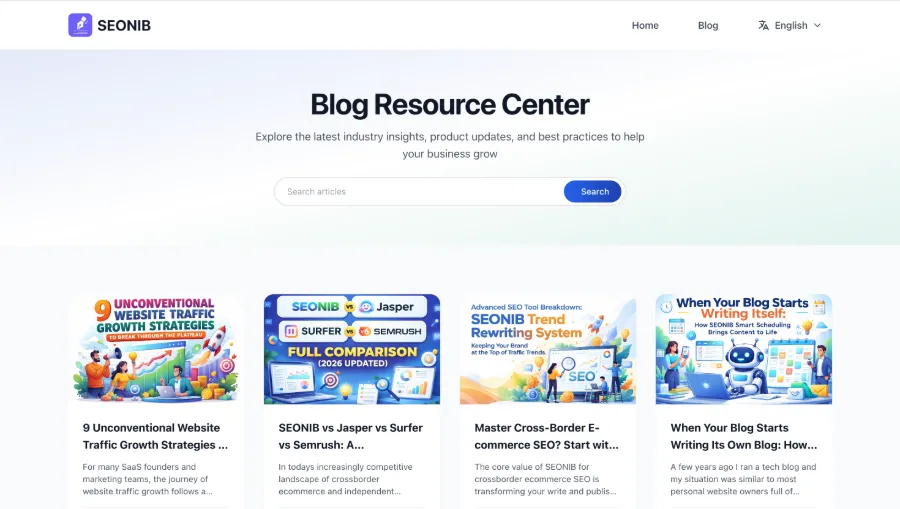
To check how well your pages are optimized, try this practical guide on How to Audit Page SEO Optimization and compare each step to find remaining gaps.
Step 3: Content Ages, So Refresh Regularly—Preferably with a Machine Watching Over It
SEO blog posts that go more than three months without updates typically drop 36 % in average ranking. I’ve experienced this firsthand. In February 2023 I wrote a Shopify SEO guide that ranked #4; by July it had slipped to page 18. The reason was simple: Shopify changed its system settings path, all screenshots became outdated, and the 2022 strategies were no longer applicable in 2023.
I then adopted a habit: every quarter I run a Google Search Console report, identify articles that previously performed well but have recently declined, and prioritize updating them. The update order is: add the year to the title, refresh data, retake screenshots, replace outdated product names. Rankings can be rescued, but the work is extremely repetitive—especially when you have hundreds of posts.
That’s when I started experimenting with automation tools for this repetitive work. SEONIB can, after you set an update frequency, automatically scan old content, detect signals that indicate a need for refresh—such as changes in industry terminology, data expiration, or keyword rank fluctuations—and then automatically rewrite, add images, and publish. No need to log into each backend manually; once the task queue is set, it runs on schedule. Of course, the tool isn’t perfect; content that requires intuitive judgment still needs a human touch, but it eliminates the bulk of the grunt work.
One time I forgot to configure the publishing timezone, and SEONIB automatically posted an article at 3 AM local time, so the first wave of visitors were all European users reading the Chinese version. After that, I got smarter: every time I set a new task I first double‑check the timezone and platform sync on the calendar, otherwise I have to manually retract the post.
The official Help Documentation explains the exact workflow for automated content updates, from trend discovery to scheduled publishing, step by step.
In a recent iteration, I even used a one‑click method to turn product links into SEO blogs that continuously attract natural traffic, turning several product pages directly into buyer guides. This approach is far more efficient than pure manual writing.
FAQ
How many blog posts do I need before I start seeing search traffic?
Usually after 20–30 posts you’ll notice fluctuations in organic search traffic, but stable growth typically occurs after about 50 posts. The reason is that a sufficient number of indexed pages is needed to trigger a one‑time evaluation of site authority by search engines; the first 30 posts are more about filling gaps.
Will Google penalize blogs written with AI?
Google does not directly penalize AI‑generated content; it penalizes low‑quality, valueless content. If you use AI to produce an article full of factual errors and empty filler, a ranking drop is expected. However, if AI‑generated content includes factual anchors, real data, and actionable advice, Google treats it the same as human‑written content.
My keyword isn’t ranking—what could be wrong?
The two most overlooked issues are: a mismatch between the target keyword’s search intent and the article’s content, and insufficient semantic coverage on the page. Compare your article with top‑ranking ones to see which related phrases and common questions you missed.
What’s the easiest way to find long‑tail keywords?
Use Google Search Console to view your existing search query report and pick out low‑impression but high‑CTR terms—those are ready‑made long‑tail keywords. You can also harvest them from the search box’s autocomplete suggestions and the “Related searches” section, all for free.
How often should old blog posts be refreshed?
Quarterly is the minimum; high‑performing posts can be updated every six months. Focus updates on industry data, tool versions, and product names rather than rewriting the entire article, as drastic changes can erode user trust.
Share Article