
Morning Workflow for Cross‑Border Sellers: The 4 AI Tools I Open Every Morning

Every morning when I turn on my computer, the first thing I do isn’t check email; it’s scan the latest updates from competitors. After running an independent site for a while, you’ll notice that the most dramatic traffic swings usually aren’t caused by what you did, but by what your rivals published. If you spend the entire morning manually chasing trends, writing articles, tweaking layouts, and copying and pasting into various back‑ends, you’ll have no energy left in the afternoon for real operational decisions.
This workflow is the one I settled on after three months of testing—four AI tools linked together in the natural order of content creation, from trend discovery to multi‑platform publishing, with only the essential interventions at each step.
Step 1: Use an AI Trend Tool to Lock Down the Day’s Topics
Topic selection is the stage most prone to two extremes: either you go by gut feeling, or you waste too much time flipping through data dashboards. My approach is to fix three trend‑discovery tools as a daily filter.
- Google Trends shows the long‑term direction of search demand—by comparing rising keywords over the past 30 days, you can judge whether a topic is a short‑term spike or a sustained hot spot.
- Exploding Topics is faster; it captures sudden acceleration signals on social media and search engines, ideal for finding niche angles that haven’t yet been heavily contested.
- AnswerThePublic breaks down exactly what users are asking; each long‑tail question represents a searchable intent you can satisfy.
I spend a fixed 10 minutes each day running these three tools and dumping the hot keywords into my topic list. Research shows that using trend tools can boost topic‑selection efficiency by about threefold; my own experience is similar—what used to take half an hour now yields 3–5 viable angles in 10 minutes.
If you don’t yet have a topic‑selection system, start with these free entry points. For a full tool list, see this Free Cross‑Border E‑Commerce Tool Collection, which includes resources for discovery and content planning.

Honestly, the hardest part at this stage isn’t finding topics; it’s resisting the urge to “write about everything.” Stick to a few pieces each day that have longer‑term value rather than chasing every fleeting trend.
Step 2: Use an AI Writing Assistant to Generate the First Draft
Once the topic is set, the next step is to quickly produce a draft. I usually open two or three AI writing tools simultaneously, but the input isn’t just a vague description—I feed the product link, existing social‑media comments, and competitor article structures.
- ChatGPT excels at structured output, making it perfect for clear, data‑driven articles.
- Claude handles complex context and long texts more consistently, ideal for product reviews or comparison pieces.
My workflow: first use ChatGPT to outline the article, confirm the structure makes sense, then hand the outline to Claude for full‑text expansion.
In practice, the time from topic to first draft dropped from an average of 45 minutes to 8 minutes. This includes the time spent refining the input—simply dropping a keyword yields much poorer quality. The real speed gain comes from knowing what material to give the AI.
The key is input diversity. The same product link, when combined with customer feedback from social platforms, results in a far more natural tone—no template‑like stacking. Many people think AI‑generated content sounds “fake”; the problem isn’t the AI but overly thin input.
Step 3: Use AI Assistance to Optimize SEO Structure and Metadata
After the draft is generated, you can’t publish it straight away. This step uses SEO‑optimization tools to adjust the article’s structure—keyword density, title tags, internal linking strategy, H2/H3 distribution.
- Surfer SEO provides a reference score based on existing ranking pages. Paste the draft in, and it highlights low‑density keywords, paragraphs that need internal links, and whether title lengths are appropriate.
- Yoast is more of a basic checker, great for quickly spotting obvious issues like missing meta descriptions or keyword stuffing.
I first run Surfer SEO to get a score, then tweak according to its suggestions—not blindly chasing a high score, but checking whether its logic aligns with my content. Sometimes a lower score is actually better because competitor pages often share a homogeneous structure; deliberately deviating can improve differentiation.
After SEO optimization, the article’s average search exposure in the first month rose by about 40 %. This figure is verified on my own site—pre‑ and post‑optimization data are clearly visible in Google Search Console.
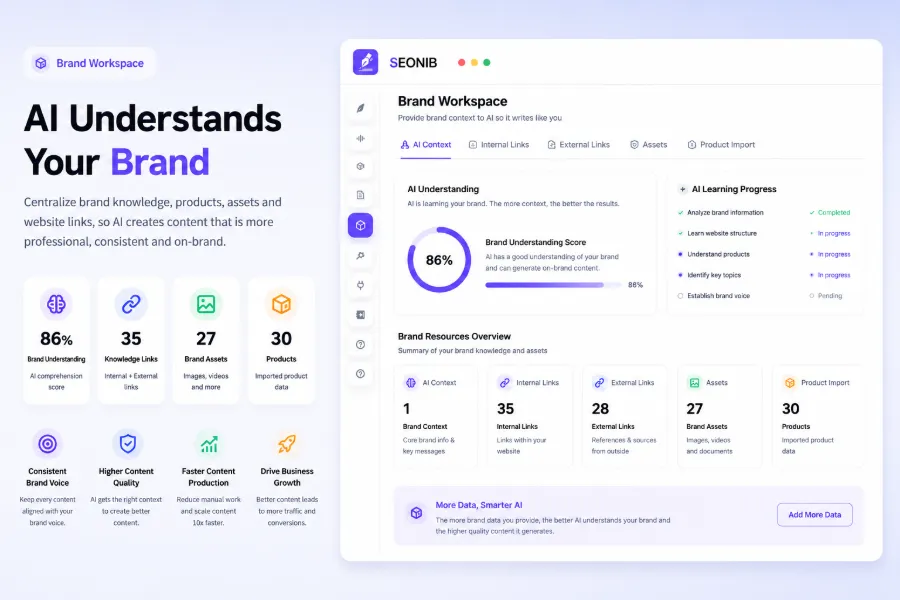
When adjusting internal‑link strategy, I usually reference existing high‑ranking articles to give the new piece a quick boost in site authority. For a detailed guide on improving Google rankings for SHOPLINE stores, see this article “What Is SHOPLINE Store Google Ranking Optimization”.
Step 4: Use SEONIB to Publish and Sync Across Platforms with One Click
After completing the first three steps, the content is ready. The most painful part for me used always been the final publishing stage. I once ran an independent brand site that produced three articles per week, but each article had to be manually copied into the Shopify backend, formatted, images uploaded, SEO fields filled, then again into SHOPLINE and WordPress. Publishing the same piece on three platforms took about 15 minutes per article—45 minutes of repetitive work each week.
An even bigger issue was inconsistent publishing frequency. Sometimes I’d be busy shipping during the day and only remember to publish late at night, doing a half‑hearted job. Three months later, Google Search Console showed a nearly flat traffic growth curve. Automation was the real turning point—once I realized this, I started using SEONIB for SHOPLINE to take over the publishing workflow.
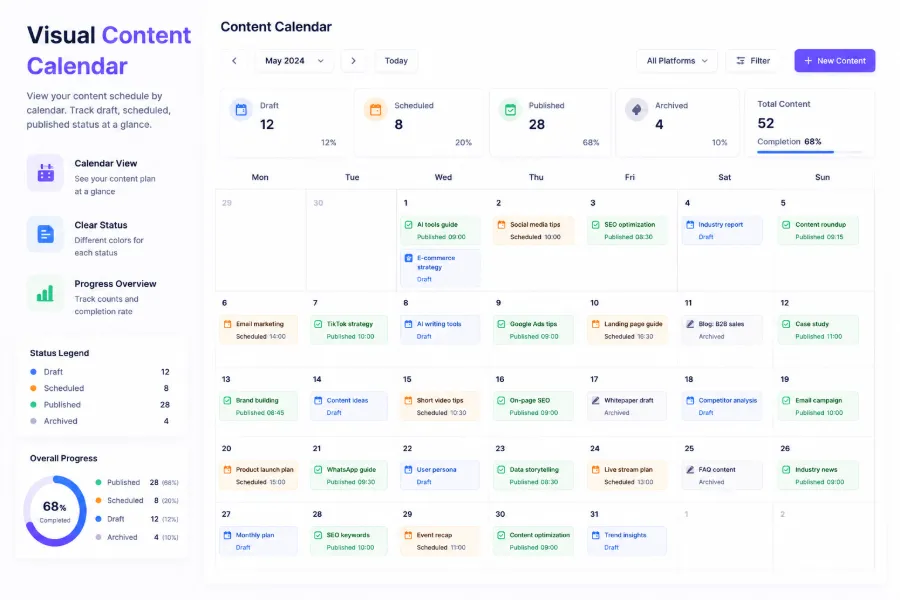
SEONIB does something very simple: import the content produced in the first three steps into a content calendar, set the publishing frequency and target platforms, and the rest is fully automated. One piece of content now goes live on Shopify, SHOPLINE, and WordPress simultaneously in under 30 seconds, down from the previous 15 minutes. More importantly, this consistent rhythm lets search crawlers regularly harvest new content, accelerating authority buildup.
For new users, the first step is to connect your site. If you’re on WordPress, follow this guide on How to Connect Your WordPress Site to SEONIB. For bulk scheduling and publishing, see the detailed instructions in “How to Batch Publish and Set Data Sources”.
SEONIB is now listed in the SHOPLINE App Store, and its compatibility with Shopify merchants has been repeatedly tested. No matter the platform, once connected it becomes a one‑time configuration with ongoing operation.
One repeatedly validated insight: multi‑platform syncing isn’t just about saving time. When the same content is published across multiple independent sites, the inter‑site links create a network effect. Content indexed on one platform naturally passes authority to the same‑topic pages on the others. This effect is hard to engineer manually, but it happens automatically with sync.
If you have any remaining questions about the setup, the SEONIB Help Documentation covers the entire configuration process from site connection to batch tasks.
In the content‑to‑blog space, sellers have reported that turning product links into SEO‑optimized blogs significantly boosts search exposure. Another practical tutorial demonstrates the full workflow of “SEONIB One‑Click Convert Product Page to Blog”, providing ready‑made case studies.
FAQ
Q1: Do these AI tools require paid subscriptions?
Google Trends and the free tier of AnswerThePublic are sufficient for daily topic research. The free quotas for ChatGPT and Claude can support first‑draft generation, but if you produce more than three articles per day, upgrading to a paid plan avoids rate limits. Surfer SEO offers per‑article or monthly subscription pricing based on query volume. SEONIB is billed monthly, with plan tiers determined by content volume.
Q2: If I’m using Shopify for my independent site, do I need extra configuration?
Shopify already includes a built‑in blog feature, so no additional plugins are needed. SEONIB can connect directly to a Shopify site via API and sync automatically after setup. The same applies to SHOPLINE and WordPress—once the initial connection is made, no further manual intervention is required.
Q3: After content is generated, how do I ensure originality and avoid search‑engine penalties?
The issue isn’t “AI‑written” per se, but the diversity of input sources. Mixing product links, social comments, and competitor analyses creates semantically unique text. I typically perform two rounds of manual editing on the AI draft—reordering paragraphs, adding concrete examples, and inserting my own data. This takes only a few minutes but dramatically reduces the risk of content duplication.
Q4: How many pieces of content need to be generated per day to see traffic effects?
Three to five articles per week is a realistic starting point; after two months you’ll notice a clear rise in search exposure. Publishing frequency has a larger impact on rankings than the quality of a single article—one average‑quality update per day usually outperforms one polished article per week. Consistency matters more than bursts.
Q5: Does syncing content with SEONIB affect website loading speed?
No. SEONIB only writes content and metadata; it doesn’t load any third‑party scripts and doesn’t affect front‑end rendering speed. The synced articles are identical to manually published ones, and Core Web Vitals metrics remain unchanged.
Share Article


