Stop Staring at CSVs: Use Claude to Mine Traffic Secrets from Google Search Console

Every day before leaving work, I’d stare at hundreds of rows of Google Search Console CSV files, my eyes going blind, not knowing which page to optimize. Then I learned a trick: feed the data directly to Claude and let it tell me “Change here! Change there! Immediate impact!”—that moment I realized it wasn’t too much data, it was my lazy brain. This article shares two of my most used AI prompts and how to automate the whole workflow, completely saying goodbye to manual labor.
Prompt 1: Let Claude Read Your Google Search Console
My old method was stupid—export the Google Search Console CSV, sort by impressions in Excel, then by click‑through rate, then by position, switching filters back and forth, wasting half an hour, eyes strained, and finally only picking a few obviously abnormal pages to work on. Until I tried feeding the data straight to Claude.
The steps are simple: go to the “Performance” page of Google Search Console, select the last three months, then export the CSV. Remember, the three‑month window isn’t arbitrary; too short and you miss trends, too long and you mix in historical noise. After the CSV downloads, copy‑paste its contents into Claude, also providing the site URL. I add a templated prompt: “Based on the attached Google Search Console data, identify low‑hanging SEO fruit for the site—pages with the lowest modification cost and highest expected return. Output format: one best opportunity + three quick win points.”
Claude can give an answer within minutes. It will tell you which pages have positions between 8‑12, decent impressions but abnormal click‑through rates because the title doesn’t match search intent; which pages have shallow content leading to high bounce rates; which pages would instantly improve position by adding internal links. I couldn’t see any of this manually because raw GSC data only gives numbers, not context. After implementing its suggestions, I measured several pages that recovered traffic within three days.
If you want to systematize your keyword strategy, check out this Complete Keyword Research Guide for more detailed competition analysis logic.
Prompt 2: Content Revival – Rescuing Dead Articles
Updating old content used to mean just tweaking dates and a few words to fool the search engine. I later discovered it’s not that simple—search intent changes, users phrase questions differently, and AI search engines favor freshness signals. Any article that hasn’t been touched for 10‑12 months generally slides out of the top 20.
My second prompt is for this. Send the target article’s content and original keywords to Claude, asking it to perform an “intent alignment analysis” based on current search results. It will tell you, for example, that the old article was written when people searched “how to choose running shoes,” but now they search “best cushioned running shoes 2025,” shifting intent from comparative to purchase‑decision. Changing only the date without adjusting intent won’t satisfy the search engine.
I tried it on a 2019 cross‑border e‑commerce product‑selection guide that had dropped to page 4. After Claude performed intent analysis and rebuilt the content structure, I rewrote the first three paragraphs, replaced old examples with 2025 data, and added an AEO Q&A module. Two weeks after publishing, impressions nearly doubled.
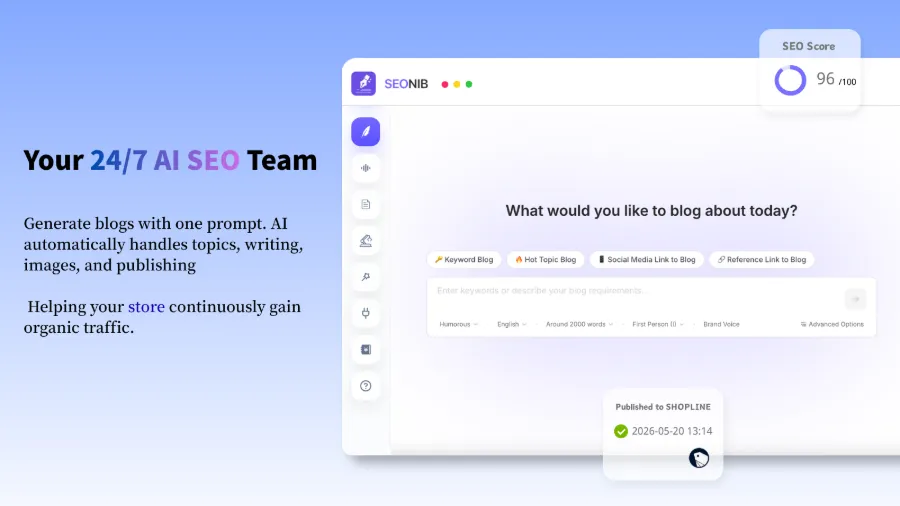
After updating old content, if you still can’t keep up with execution, see How to Check Page SEO Optimization to ensure every article meets current technical standards. Also, some people already use SEONIB to turn product pages into blogs in one click to batch this process—efficiency is dramatically higher. For more automation details, the SEONIB Help Docs contain specific instructions.
Prompt 3 (Essentially Automation): Hand the Heavy Lifting to Machines
After Claude produces the recommendations, there’s a practical problem: you still have to execute them manually—changing titles, adding internal links, updating body copy, publishing, syncing across platforms. One article is manageable, but when you have dozens to update, the manual work returns.
So I shifted focus to automating the workflow itself. The core idea: let AI (Claude) handle analysis and decision‑making, and also let AI handle execution and publishing. Set up a content calendar, choose publishing frequency and target platforms, and then walk away. For example, automatically generate an optimization article each day based on GSC data, sync it to Shopify and WordPress, and automatically add internal links and structured data. One configuration, continuous operation.
SEONIB is built specifically for this. It can generate SEO content automatically from product links, keywords, or trending topics, then publish it on a schedule you set across multiple platforms. No daily logins, no manual copy‑pasting or image uploads.
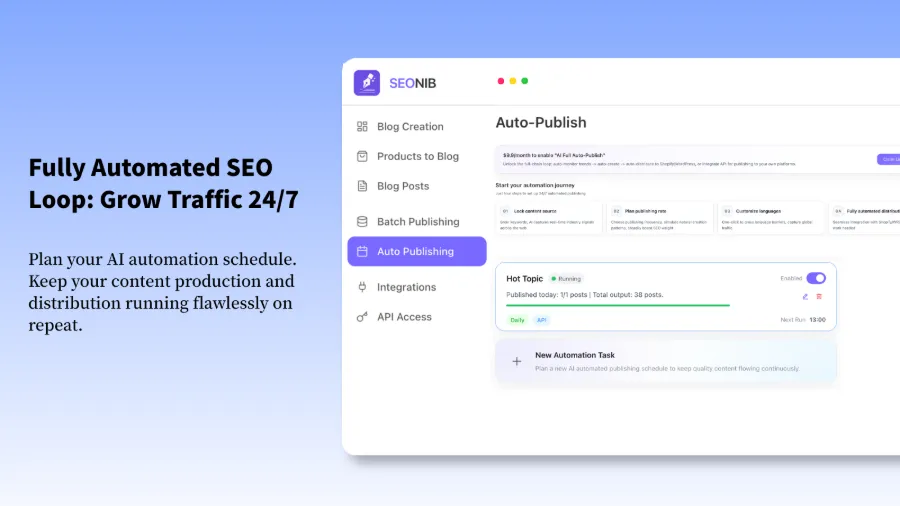
The end‑to‑end flow looks like this: GSC data → Claude → optimization suggestions → prioritize suggestions into content calendar → tool auto‑generates the updated content → one‑click sync to all platforms. Once configured, it runs every night, and you wake up to freshly published articles and traffic trend charts.
A video clearly demonstrates how to sync a blog to Shopify:
If you want a deep dive into this tool’s overall features, pricing, and competitor comparison, read the SEONIB Full Review: Feature Breakdown, Pricing, and Comparison. If your target platform is Shopify, the official API integration docs are also available on the Shopify website.
FAQ
Q1: How large can the GSC CSV be for Claude to analyze?
A three‑month CSV is usually a few hundred KB to a couple of MB—well within Claude’s limits. If your site is huge and the file exceeds 10,000 rows, split it by month; otherwise you’ll hit context‑length limits and the analysis will be incomplete.
Q2: Does content revival have to start with articles older than 10‑12 months?
Not mandatory, but 10‑12 months is a good rule of thumb. Search engines assess freshness on a cycle; after a year without updates, the decay curve accelerates. Exceptions exist—if an old article is already in the top three, editing it might disrupt its accumulated authority, so sometimes leaving it untouched is the right move.
Q3: Will automated SEO tools cause a drop in content quality?
It depends on how you set the rules. If you let it generate anything without brand context, topic boundaries, or writing guidelines, the output can become generic. However, feeding it the analysis results, keyword strategy, and brand voice yields drafts that are often more consistent than many outsourced writers.
Q4: Does syncing across multiple platforms trigger duplicate‑content penalties?
As long as each platform’s version keeps the core content but isn’t an exact copy paragraphparagraph‑by‑paragraph), search engines won’t treat it as plagiarism. Typically Google will display the highest‑authority version. The key is to avoid a literal, verbatim copy‑paste across all platforms.
Share Article