
Shopify Apps That Really Save Me Time

Opening the Shopify admin every day fills the morning with orders, inventory, and customer service. The real headache is content updates—writing blogs, changing images, setting SEO, and finally publishing manually. After a full workflow, half a day is gone, and the update frequency is always unstable: at the start of the month I kept up with two posts a week, but by the end it dropped to one every two weeks. I tried dozens of apps, and the ones I kept weren’t the flashiest features but the tools that truly shorten the publishing process, allowing me to keep output without logging in every day. This article discusses where those tools actually save time and which steps are worth your one‑time configuration effort.
Topic selection, writing, layout – which steps eat up your time
Running a cross‑border independent store, every step of content production hides a time black hole. First, topic selection—open Google Trends, look at competitors’ blogs, then manually compile a keyword list, at least twenty minutes each time. Writing the body is even worse. I start with a ChatGPT draft, but after generation I still have to adjust tone, add examples, and supplement data; editing a 1,500‑word article takes about an hour. Image handling is more tedious: find a picture on Unsplash, crop, compress, add alt text—another twenty minutes. Finally, I have to pick a category in Shopify, fill in the SEO title and meta description, and check internal links. These settings look simple, but doing them for every post adds up to a substantial amount of time.
I tried to manually update for three months, two posts a week. The first six weeks I gritted my teeth, but by week eight, when the busy season hit, the content stopped completely. Traffic, which had peaked in April, slowly declined and fell by almost 40% by June. That’s when I realized the problem wasn’t my writing skill but the continuity of the whole production pipeline—each complete manual content release averages 2–3 hours, a cost no one can sustain long‑term.
| Content source | Manual time | Tool‑assisted time |
|---|---|---|
| Product link → blog | 2–3 hours | 1–2 minutes |
| Keyword → blog | 2.5 hours | 1–3 minutes |
| Social media content → blog | 2 hours | 1–2 minutes |
Choose the right tools and compress hours of writing into minutes
After the burnout lesson, I started seriously looking for tools that shorten the writing stage. I focused on apps that can extract material directly from product links, keywords, or even social media posts and automatically generate SEO‑optimized articles.
The most surprising feature was generating a buyer’s guide from a product link—previously I had to copy product details, organize comparison parameters, and write recommendation reasons manually. Now I just paste a link and within two minutes I get a fully structured article with title, H2 headings, a product comparison table, and CTA all automatically placed. Keyword‑driven blogs work similarly: input a core term, the tool generates paragraph‑by‑paragraph body text based on search intent and even lists candidate internal links.
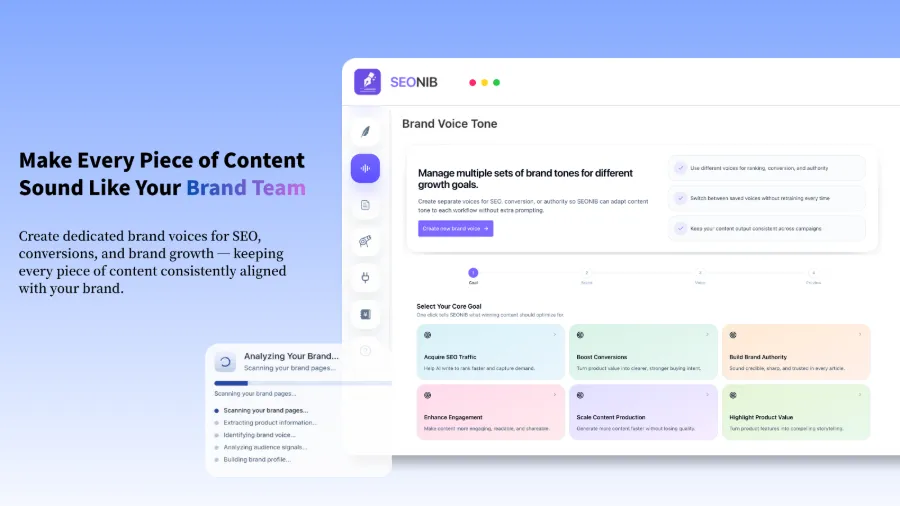
At first I worried that AI‑generated content would need heavy manual tweaking. Later I discovered that if the tool can be configured with brand style—industry terminology, tone, product name formatting—each draft’s quality is consistently high, eliminating word‑by‑word edits. The time saved here far exceeds my expectations.
Try running the most time‑consuming content block—like product reviews or buyer guides—through a tool first and compare the manual vs. assisted time. From product link to publishing, many tools now finish within ten minutes, and the key is they eliminate the need for you to start from scratch.
Real time‑saving lies in automated workflows, not single‑shot writing
Even the fastest single‑post writing is hard to sustain if you must manually trigger and schedule each one. The real liberation came when I set up automated workflows.
The topic pool updates daily and can be turned into writing tasks with one click.
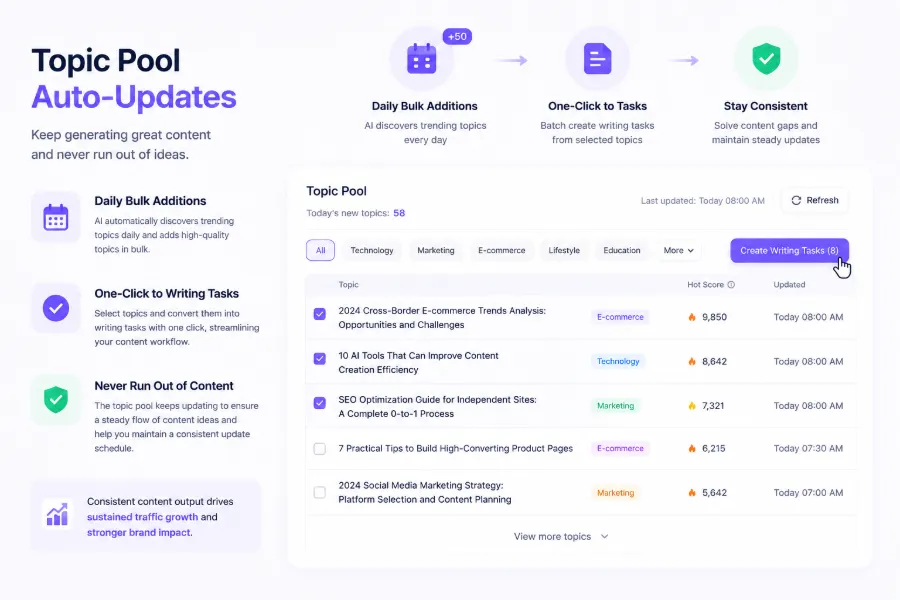
I set a schedule of three posts per week and handed the rest to the tool: each week the system automatically pulls trending topics from the pool, generates articles, inserts images and SEO metadata, and publishes to Shopify at the preset times. I initially logged in weekly to check, but after the article quality proved stable I only occasionally tweaked the topic direction. Without noticing, the system had automatically produced over twenty articles in a row, each with internal links and related product cards inserted automatically.
What surprised me most was that the long‑term traffic accumulation from automated publishing far outperformed the effort of manually polishing single articles. Before, I’d spend half a day on a premium post that vanished after publishing; now the system automatically publishes three to seven posts per week, which continuously get indexed by Google and slowly climb rankings. After three months, overall search traffic exceeded what six months of manual effort had achieved. The real bottleneck for content teams is not writing skill but the sustained production steps—topic selection, scheduling, synchronization. Automation takes over all three at once.
If you’re interested in the current market of AI content marketing tools, check out the 2026 AI Content Marketing Tools Overview, which compares automation levels across solutions.
A visual content calendar lets me see the publishing status for the next two weeks—what’s pending generation and what’s already queued—at a glance.
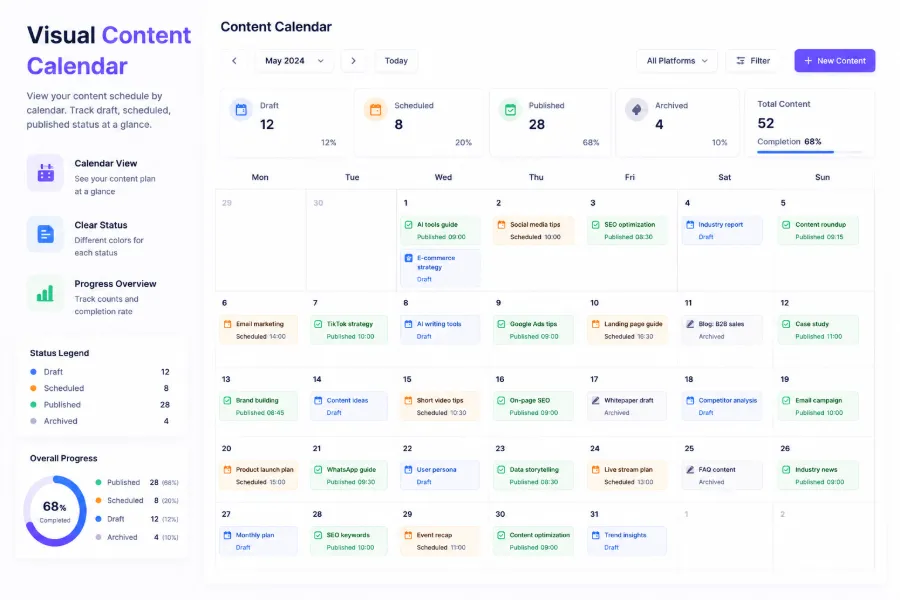
Of course, automation isn’t a set‑and‑forget miracle. I hit a pitfall: setting internal‑link rules too broadly caused the system to repeatedly insert the same product link in new articles, looking unnatural. I spent two hours refining the linking strategy, limiting rules to link only to relevant category pages and complementary products, which restored content quality. For common automation‑setup issues, see the detailed guide to avoid similar errors.
One‑click publishing across platforms, goodbye to repetitive copy‑pasting
After two years of independent sites, I maintained a Shopify main site, a WordPress blog, and later added a SHOPLINE store for the Southeast Asian market. Previously each article required logging into three back‑ends, copying and pasting content, uploading images, and adjusting formatting—at least half an hour per sync. Even more troublesome, SEO field locations differ across platforms, and I often forgot to fill meta descriptions, hurting indexing rates.
When I discovered tools that generate once and push automatically to multiple platforms, the pain vanished. I only confirm the content in one backend, and the system publishes to Shopify, WordPress, SHOPLINE, and even Medium. One sync can cover five to six platforms, saving at least 80% of the time.
What kept me using it was the long‑term impact on search visibility. Previously, scattered update frequencies made it hard for Google to trust the site. After unified syncing, all platforms update the same series of content almost simultaneously, clearly boosting the site’s topical authority; impression share and click‑through rates rose steadily over two quarters. Moreover, the content now reaches both traditional search engines and AI search engines— the latter value multi‑platform presence because AEO (AI Engine Optimization) scores consider brand consistency across channels. You may have noticed that in ChatGPT search results, only brands with unified information across multiple platforms are accurately referenced. If you need a systematic publishing strategy, see the article Building Brand Authority Through Content for a useful framework.
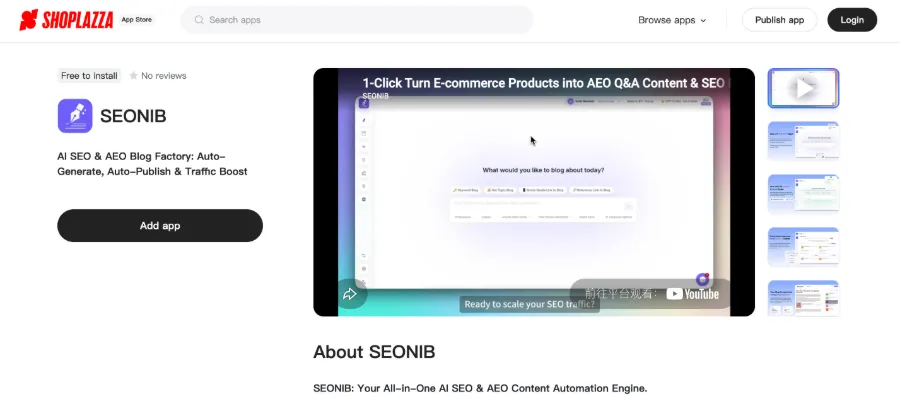
The video below demonstrates how to automatically sync blog content to the Shopify backend; the whole process takes just a few clicks, eliminating copy‑pasting hassles.
SEONIB is now officially listed in the Shopify App Store. If you’re using Shopify, you can install it directly from the store without manual API configuration.
Frequently Asked Questions (FAQ)
Q1: Do all these apps require a paid subscription?
Most high‑automation apps are paid; free tiers usually have usage limits. Pricing varies widely, from a few dozen dollars per month to several hundred, depending on article volume and supported platforms. It’s advisable to start with a free trial for a week or two to test content quality.
Q2: My store is small—do I need automated publishing?
If you have fewer than fifty SKUs and low‑competition keywords, manually updating three to five core pages may suffice. However, if you plan to expand into new categories or languages, automation’s value grows with content volume. Start with one automated post per week, evaluate traffic impact, then decide whether to increase frequency.
Q3: Will automatically generated content be penalized by search engines for low quality?
Search engines penalize low‑value, thin content, not the fact that it’s AI‑generated. The key is providing useful information—product comparisons, usage tips, FAQs, etc. In five months of use I’ve received no manual‑operation warnings, and two of my automatically published articles have ranked within the top five pages of Google search results.
Q4: Can I preview content before publishing?
Most tools that support automated scheduling offer a preview queue. You can review upcoming posts for the next few days and manually adjust or skip any that need fixing. I usually check the next week’s topics and drafts every Friday, editing only those that clearly miss the brand direction and letting the rest go live.
Q5: Does multi‑platform syncing affect each platform’s exclusivity requirements?
Most platforms allow identical content, but duplicate content can be flagged as low‑quality. My approach is to keep at least 20% variation per platform—e.g., add a product carousel on Shopify, embed a video on WordPress. Small differences are enough to avoid being treated as exact duplicates by search engines.
Share Article


