How I Use AI to Upgrade SEO Content from “Manual” to “Automatic”
Exporting Google Search Console data manually every day, scanning hundreds of rows for opportunities, then spending half a day writing an article that might boost traffic a this is how I’ve spent almost two years. It wasn’t until I wired analysis, content revitalization, and automated publishing into a single pipeline that I truly felt what “AI works for me” means. This article won’t discuss theory; it shares the four steps I actually use and the pitfalls I’ve encountered.
Exporting CSVs, manually filtering, page‑by‑page analysis—this workflow took me 22 months to realize its inefficiency. During the 2023 peak, I handled data for six sites each week, staying up late comparing impressions and CTR changes, often finding opportunities that turned out to have no conversion value after half a day’s effort. I then broke the whole process into four stages, replacing human effort with tools at each stage and turning content production into a true assembly line.
Step 1: Let AI Help You Understand the Massive Data in Google Search Console
In the Performance Report of Google Search Console, select a data range of at least three months and export a CSV file. Don’t cheat on this step—too little data means the AI’s recommendations lack statistical significance. I usually export a full year, but three months is the minimum.
After you get the CSV, don’t immediately dump the raw data into the AI. Include the site URL and a one‑sentence description. I once pasted only the data without context, and Claude gave me a bunch of “optimize meta descriptions” and “add internal links” nonsense—mathematically correct but useless from a business standpoint. Whether the site sells home goods or offers SaaS changes the action the data should trigger.
Fill the following information into the prompt: site URL, one‑sentence business description, target audience type. Then paste the CSV data and let the AI analyze it. I use Claude and set the reasoning depth to maximum. After a few minutes it returns a report highlighting the low‑hanging fruit and three quick wins you can execute immediately.
When analyzing a cross‑border e‑commerce site, the AI pointed out an article with over 2,000 impressions but a 1.2% CTR, recommending a new title and meta description. After the changes, the CTR rose to 4.8% within two months and traffic nearly doubled. Without AI scanning, that article would have been buried in hundreds of rows and I’d never have noticed it.
If you want to dive deeper into keyword‑driven analysis, see this Keyword Research Guide (2026).
Step 2: Use AI to “Refresh” Old Content and Generate New Traffic
Most people focus only on writing new articles, overlooking the value of existing content. I’ve measured my own site: updating an article that hasn’t been refreshed for 10–12 months yields a cold‑start success rate over 40% higher than publishing a brand‑new post. Google and AI search engines favor fresh content, but you can’t just change a couple of words and call it done.
Give the AI the old article URL and target keyword, and use a content revitalization prompt to rewrite and supplement it with new data and case studies. Manually updating one article takes about 30 minutes, but if you have hundreds of articles you’ll go crazy. So content revitalization must also be efficient—treat the update as a routine task, spending half a day each week refreshing 1–2 under‑performing old articles.
I experienced an interesting case: a tool review article written in 2022, after adding 2024 data and competitor comparisons, recovered to over 80% of its original traffic within two months and stabilized. A brand‑new article would usually need 4–6 months to climb to the same position.
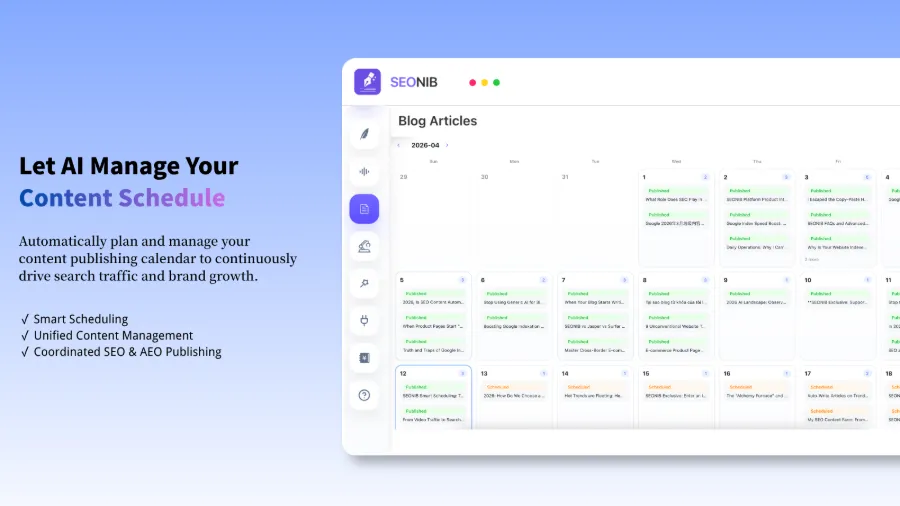
If you want to turn content updates into a continuously automated process, check my previous summary: How Independent Sites Can Automatically Publish SEO Content Daily.
Step 3: From “Analysis” to “Execution,” I Built a 24‑Hour Content Factory with SEONIB
Analysis and content refresh are done, but if each execution still requires manually logging into the backend, pasting content, uploading images, and setting SEO fields, you’ll quickly lose motivation. Early 2024 I realized this and started looking for a tool that could stitch the whole workflow together.
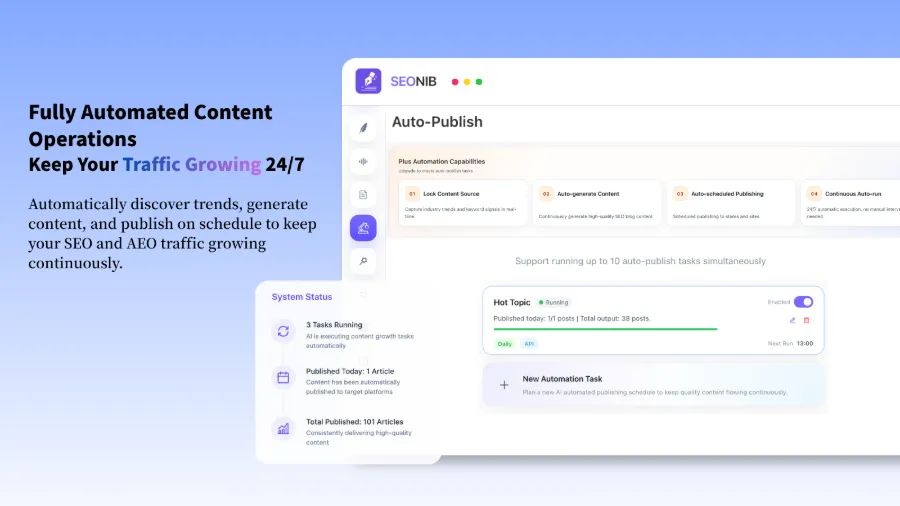
Set it up once and let it run automatically. After I entered business keywords, brand context, and publishing frequency, the system handled everything from trend discovery to content generation to scheduling and publishing. New content is produced on a timed schedule daily; I only need to log in once a week to glance at the data. More useful, it supports one‑click syncing to Shopify, WordPress, SHOPLINE, and other platforms, eliminating manual transfers.
A very practical scenario is product‑to‑blog: drop a product link, and the system automatically generates a buyer’s guide or review article, inserting purchasable product cards. For a concrete example, see the article “Turning a Product Link into an SEO Blog That Continuously Attracts Organic Traffic.”
But there’s a big pitfall to mention. At the end of 2024 I made a mistake—fully relying on AI‑generated content without any human verification. After three months, traffic didn’t increase; it actually dropped. The reason is simple: the content was new but highly homogeneous. Without brand‑context constraints, the AI produced articles with similar structures and angles, harming the site’s topical authority. After that, I added brand voice configuration and regular manual spot checks, which stabilized the situation.
Whether you use Shopify or another platform, you can find more automation settings and detailed configuration in the official Help Documentation.
Step 4: Use Brand Voice and Continuous Iteration to Make AI More Handy Over Time
After the homogenization setback, I started seriously configuring brand context. This isn’t a one‑time task; it’s an ongoing iteration.
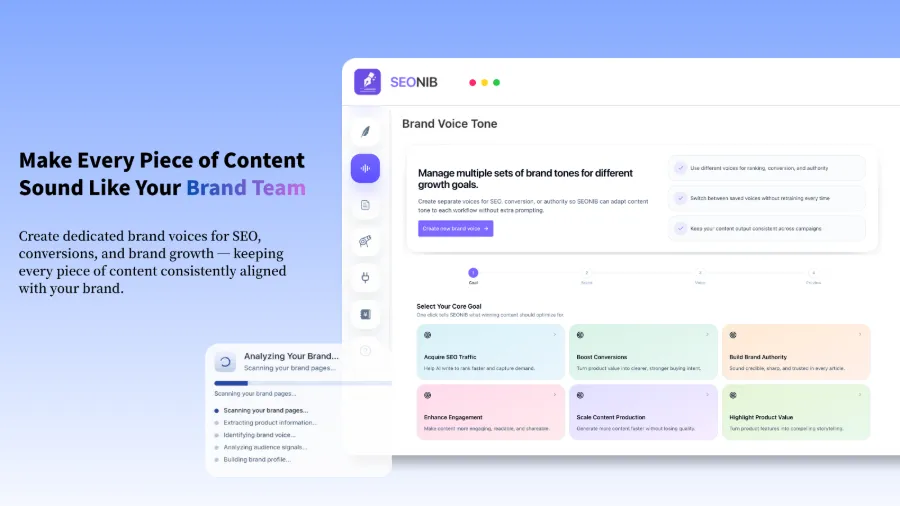
This is where I set the brand voice. I fill in sample tones, common terminology, target audience description, and competitors’ writing styles. The AI references this information, and the generated articles usually need little manual editing. I also set internal linking rules so the system automatically inserts links to related articles during generation, which greatly helps build topical authority.
SEONIB’s content calendar lets me see the weekly publishing plan at a glance. On Monday I spend 15 minutes previewing the week’s upcoming content and manually tweak topics the AI isn’t confident about. This process essentially trains the AI— the more you adjust, the better it learns your preferences.
If you want deeper optimization for AI search engine visibility, check the AI SEO Guide (2026), which contains many practical tips for AI‑driven search ranking.
FAQ
Q1: What additional context is needed when using AI to analyze GSC data?
Provide at least the site URL and a two‑sentence business description. If you don’t clarify what the site sells and who the target audience is, the AI can only give generic SEO advice. If possible, also add main competitors and core keywords for more precise results.
Q2: Are content revitalization prompts applicable to any industry?
They work for the vast majority of industries. However, in highly specialized fields (e.g., medical or legal), the AI may produce factual inaccuracies, so human verification of data sources is required. Tool reviews and e‑commerce content see the best results, with traffic recovering quickly after updates.
Q3: Will automated content publishing cause a drop in quality?
If you skip brand voice configuration and review mechanisms, quality will indeed suffer. It took me four months to find a balance: let the AI handle 80% of the framework and base content, and reserve the remaining 20% for human checks of critical data and brand expression. Using the content calendar preview to intervene early is far more efficient than fixing after publishing.
Q4: How do you handle differing content format requirements across platforms during multi‑platform sync?
Common e‑commerce platforms and CMSs have standard API interfaces; the content engine automatically adapts the format. For example, Shopify requires a specific product embed format, while WordPress needs Gutenberg‑compatible HTML. Once you set up mapping rules, cross‑platform publishing generally requires no further manual adjustments.
Q5: Can I pause the automated publishing if I don’t want to continue?
Absolutely. All automated tasks can be paused with a single click, and already published content will not be deleted. I once paused for two months for a redesign; after re‑enabling, the system automatically resumed updates, and the accumulated indexing and rankings were retained.
Share Article