I Use an AI Tool to Auto-Update Posts on My WordPress Site
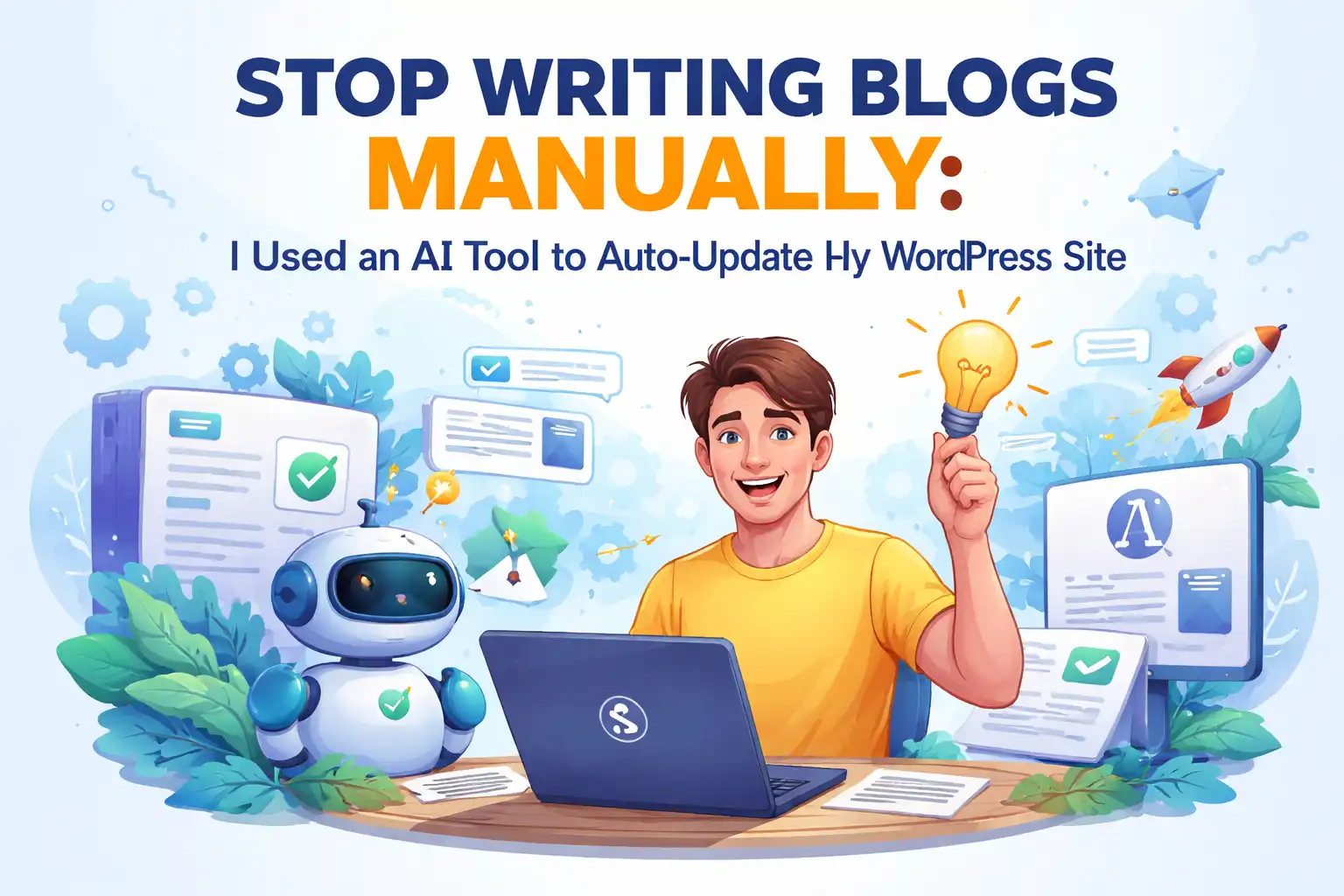
Honestly, I used to be skeptical about “content automation.” I thought AI‑generated text would be a conveyor‑belt product, lacking a human touch, let alone any SEO value. But the real problem wasn’t that— the real problem was that I simply didn’t have the energy to verify those doubts.
I spend more than 10 hours a week on content production, a conservative estimate. Monday I find a topic, Tuesday I write a draft, Wednesday I format, add images, and edit the meta description, and Thursday I finally publish a post. Friday I look back and see that the article I published last week still has single‑digit traffic. After two years I still couldn’t post daily. The “Drafts” section in the WordPress backend is full of half‑finished pieces with only a title, and the Gutenberg block editor holds three articles that died halfway through. At one point I even considered learning to code and writing my own auto‑posting script—thankfully I didn’t act on that impulse.
It wasn’t until one night that even the pages generated by WPBakery felt dull that I seriously started researching the market’s so‑called “auto‑generated content” tools. In that moment I realized: it wasn’t that I didn’t want to update; I truly lacked the energy. If you feel the same, check out these 10 Hottest AI Content Marketing Tools; they at me that the road isn’t as narrow as I thought.
The Daily Life of a Content Creator: Exhausting Nights
My typical workflow for writing an article used to be:
Open the Gutenberg block editor, enter a title, start writing the body. By the third paragraph I realize the argument doesn’t hold, so I delete and start over. While formatting I discover an image is the wrong size, and I forgot to edit another image’s alt text. Before publishing I glance at the Yoast SEO panel and see a lot of red lights—keyword density too low, readability score low, not enough internal links. I spend another half hour tweaking until the lights turn yellow, then click Publish. The whole process takes 2–3 hours.
Even more frustrating is that once the article is out, it feels like a stone thrown into the ocean—no splash at all. I keep refreshing Google Search Console, staring at the “Impressions” and “Click‑through rate” numbers, wondering what I’m doing wrong. I experience this defeat four or five times a month, and it’s been going on for two years.
Eventually I realized I was stuck in a vicious cycle: writing manually is too slow, leading to low update frequency; low frequency slows index growth; slow index growth means traffic never rises. No traffic means less motivation to write the next post. This deadlock can’t be broken by willpower alone. I remember the most extreme month when the whole site only published four articles, one of which was a republished industry news piece.
No More Topic‑Finding Worries: AI Automatically Finds Hot Topics
SEONIB first impressed me during the topic‑discovery stage. Normally, finding topics every day is a headache. My old method was: skim three or four industry news sites in the morning, check SEMrush for competitor keyword changes, browse Twitter and Reddit for what people are talking about. After that round I could filter out 2–3 viable angles, but half of them I wasn’t even sure had any search volume.
AI’s approach to automatically monitoring industry trends and competitor content is completely different. It doesn’t require me to sift through data daily; it continuously captures industry dynamics, evaluates search volume and competition intensity, and pushes topics with traffic potential straight into my topic pool. I get 24 new recommended topics each day, each tagged with “Search Volume Estimate” and “Competition Extraction.” I just scan the list, pick 2–3 that interest me, and click “Convert to Writing Task.” That eliminates about 90 % of research time.
I used to think “inspiration” was a prerequisite for content creation, but now I see “automation” as the more reliable mechanism. For example, once I noticed a sudden rise in search volume for a long‑tail keyword; AI automatically flagged it as “Trending Up” and sent it to me. I rode that wave and wrote an article on that niche topic, which three weeks later earned over 200 clicks from Google. Manually catching such spikes would be almost impossible.
In fact, picking the right topic is itself a core part of SEO. I’ve studied many cases and found that people who blog can actually get search traffic by consistently targeting demand‑driven topics. If you want to learn how to systematically uncover hot subjects, check out this Industry Hot Topics Blogging Guide, which explains it clearly.
From Keyword to Article: One‑Click Generation, Plus Formatting and SEO
My previous articles were drafted mainly with ChatGPT.
My workflow: input a prompt into ChatGPT, wait for it to generate a reasonably structured article, copy‑paste it into WordPress, then manually adjust formatting in Gutenberg—add paragraphs, images, internal links, meta description, alt tags. Those finishing touches alone could take 40 minutes.
AI‑generated content works completely differently. Enter a keyword, and it produces a fully structured SEO article, including H1, H2, paragraph layout, auto‑inserted images, auto‑linked internal links, and optimized meta description. Everything is done in the backend, no manual copy‑pasting or formatting needed. Support for 40 languages means that if I later expand overseas, generating English‑site content is just a matter of switching the language setting.
I found that the value of this “end‑to‑end automation” isn’t just time saved; it also greatly reduces operational errors. When I used to copy‑paste manually, I sometimes missed meta descriptions on some pages or forgot to assign the article to the correct category. Now everything is managed uniformly, and the error rate has dropped dramatically. If you’re interested in the SEO logic behind this, read the AI SEO Guide.
Set It Once, Auto‑Update: Multi‑Platform Sync Is No Longer a Nightmare
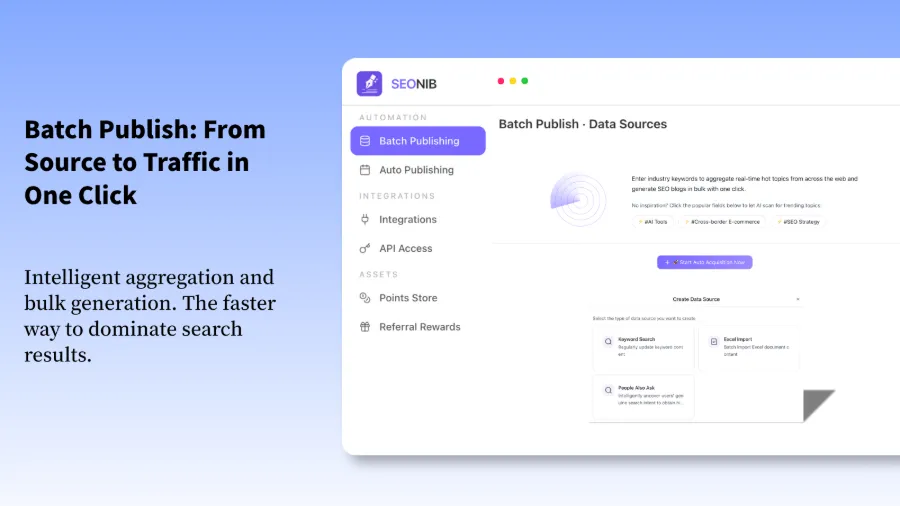
During the two years I wrote blogs manually, the biggest management cost wasn’t writing itself but maintaining a publishing rhythm. People are lazy, especially freelancers. Today’s post gets delayed to tomorrow, tomorrow’s to the next day, and by the end of the month I’ve only published three or four pieces. The thing SEONIB gives me peace of mind about is that it makes me consistent.
Set the publishing frequency (I chose one post per day), and AI automatically generates articles on schedule and pushes them to the WordPress backend. I don’t even need to log in daily to click “Publish.” The content goes live at the preset times. Moreover, a single generation can sync to WordPress, Shopify, Shopline, and other platforms without logging into each backend separately. This multi‑platform sync is the most useful feature for me—I have a WordPress brand site and a Shopify store, and previously I had to write separate content for each.
Content automation also has an often‑overlooked benefit: continuous updates build topical authority in search engines. Google tends to trust sites that consistently publish related content more than those that post sporadically. After I kept posting daily for two months, the rankings of my older articles also jumped, and the indexed page count rose from a few hundred to nearly 2,000. Many worry that AI content is generic, but by pre‑defining brand language, internal linking rules, and an image library, the generated articles carry a distinct personal style. My readers still haven’t realized those pieces are AI‑generated. If you want to try configuring it yourself, see the detailed SEONIB Help Documentation, which includes full setup steps.
Honestly, after a month of use the only regret I have is: why didn’t I start this earlier?
FAQ
Can this tool automatically publish to my WordPress site?
Yes. Configure the WordPress site connection in the backend once, and all generated articles will be automatically pushed to the site and scheduled for publishing. You can customize the publish time and frequency, and you can also enable manual preview before publishing.
I have no technical knowledge—can I set it up?
The setup is simple and requires no coding. To configure the WordPress connection you just need to enter the site URL and API key, then choose a publishing frequency. Connecting to Shopify or Shopline follows a similar process—just fill in basic information.
My site is primarily in Chinese—can AI write articles that sound natural in Chinese?
Yes. The system supports 40 languages, and Chinese output quality is among the best of comparable tools. It understands Chinese expression habits and avoids stiff, translated phrasing. It’s still recommended to pre‑fill brand language and internal linking rules in the brand settings so the generated articles better match your site’s style.
Is the free version sufficient?
The free version lets you experience the core generation features, which is enough for testing content quality and workflow. If you only need a few updates or want to see a few results first, the free tier is perfectly adequate. If you plan to automate daily posts or produce content at scale, the paid version’s advantages become clearer—higher publishing quotas and more comprehensive brand settings.
Share Article