After Completing Product Research, I Built a 24/7 Automated Content Pipeline

When the product research was finished, I was actually pretty excited. The product selection data looked great, the competitive analysis was thorough, and I thought traffic would naturally come once the items were listed. Two months later, I checked the backend and saw that organic search traffic was almost zero. The ads had spent a few thousand dollars, clicks were there, but the product pages felt like they were sinking to the bottom of the sea—search engines simply ignored them.
Later I realized one thing: product research only tells you “what to sell,” but what determines “who can see you” is content. And content can’t be sustained manually.
I once tried spending two hours a day writing a blog post, faithfully for three months. The traffic curve was almost flat. It wasn’t that the articles were bad; the publishing frequency was too unstable—one day I’d be inspired to write two thousand words, the next day I’d be working overtime and stop publishing. Search engines are sensitive to regular updates; a “three days on, two days off” rhythm is worse than not updating at all.
Realizing the pain, I decided to hand the entire content workflow over to automation. Now this pipeline runs 24 hours a day by itself, and I only need to glance at the data once a week. Below is how I set it up.
Step 1: Let AI Watch the Hot Topics for You, Instead of Manually Scouring Everything
After product research, the easiest bottleneck is “what to write today.” Manually checking Google Trends, competitor blogs, and social media for two hours often yields no clear direction.
I used to think AI monitoring was a gimmick. Until I tried it, I discovered it automatically pushes more than 20 new topic ideas to me each day, each with search volume data and difficulty assessments. No need to guess what might go viral; the tool tells you directly which direction has traffic potential.
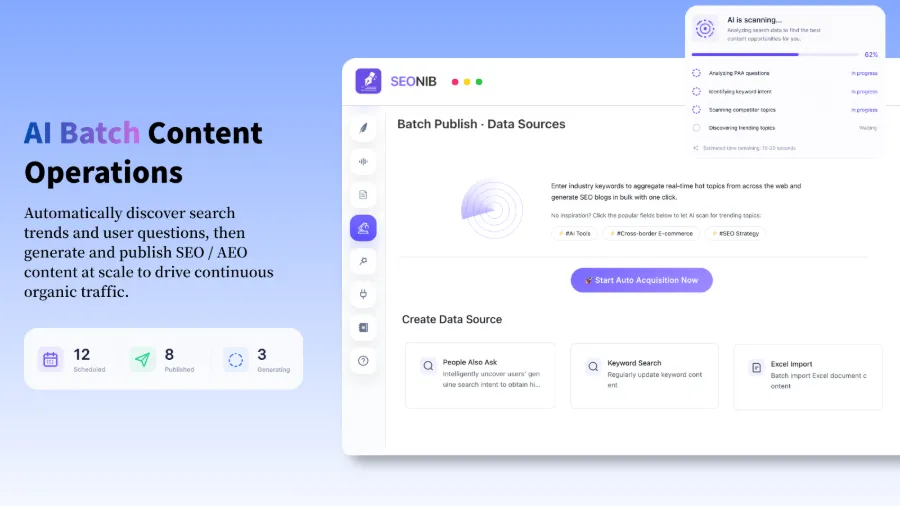
For example, if you sell outdoor gear, the system might suggest “2026 Lightweight Tent Review” or “Common Mistakes of Camping Beginners,” topics that have search volume and can be linked to your products. One‑click add them to your topic pool, and pull them out when you’re ready to write. This step reduces the time cost of topic decision‑making to zero.
If you haven’t nailed down your product direction yet, check out this detailed method for quickly validating product search demand first to confirm whether your category has a search base before investing in content.
Step 2: Drop a Product Link In, and the Blog Is Written Automatically
How slow is the traditional blog‑writing process? Half an hour for keyword research, two hours for the first draft, half an hour for finding images, another half hour for layout and SEO metadata. Four to five hours per post is normal, and the formatting you write by hand is often a mess.
Later I discovered that by feeding a product link directly into SEONIB, a complete SEO blog can be generated in two minutes. It extracts product selling points, matches hot keywords, inserts internal links, and even writes alt tags. It supports 40 languages, so cross‑border e‑commerce sellers no longer need translation outsourcing.
I tested a 2,000‑word product review article; from link submission to preview, it took 1 minute 47 seconds in practice. The generated layout structure, heading hierarchy, and meta description were far more规范 than my hand‑written ones. You can preview and adjust tone or length anytime, but honestly, most of the time I just publish it as‑is. Three months later that article generated over 470 search impressions.
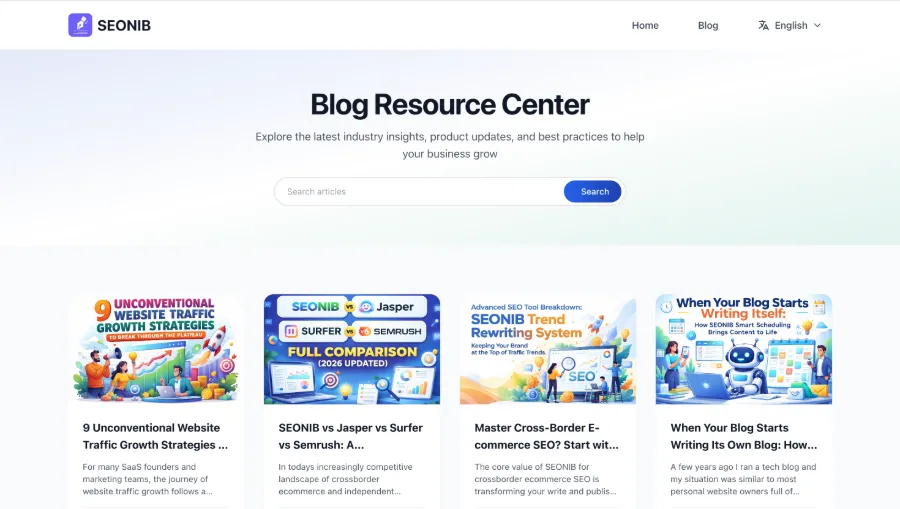
If you’re skeptical about the real effect of AI‑generated content, check out this specific case study of automatically generated SEO blogs from product links for a full before‑and‑after data comparison.
Step 3: Set a Schedule, AI Publishes Like an Alarm Clock
Many people think content marketing is just about writing well. But Google’s crawler cares about “vitality”—whether your site is continuously producing new content. If you don’t update for three months, your authority naturally drops.
I fell into that trap before. I set a “three posts per week” plan, kept it for the first month, dropped to two posts in the second month, and stopped altogether in the third. Every time I resumed after a break, traffic had to crawl from scratch.
Now my approach is: set a publishing schedule—daily or weekly as you like—and AI automatically generates and publishes at the appointed time. The calendar view shows the upcoming week’s lineup; you can tweak it in advance if needed.
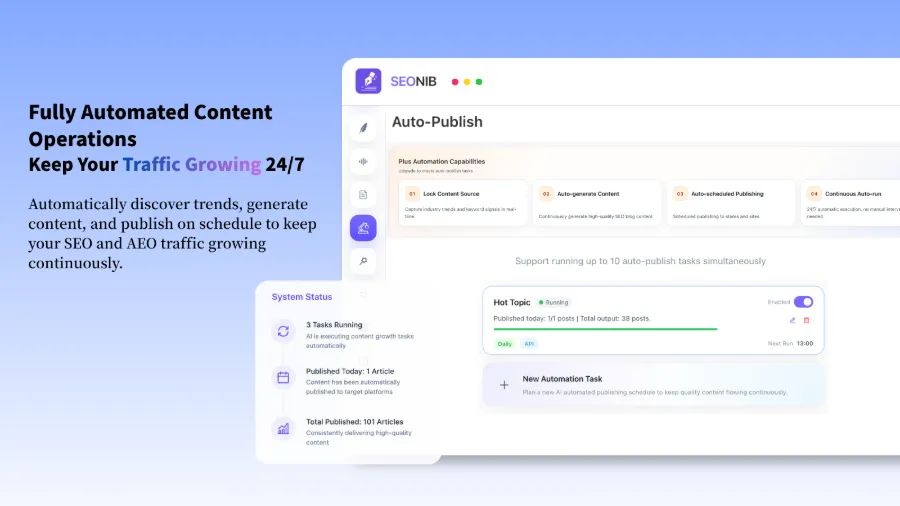
Set it once, and you don’t touch it for three months. SEONIB’s automatic scheduling is more reliable than an alarm clock, publishing at a fixed time every day regardless of whether I’m sleeping, traveling, or feeling lazy. Over the past few months, the site’s daily active users have been steadily climbing.
If this’s your first time configuring automatic publishing, see this detailed guide for AI agent auto‑publish settings; it takes only a few minutes to set up.
Step 4: Publish Once, Sync Across the Whole Web, No More Copy‑Paste
Managing multiple platforms manually is absurdly inefficient. Log into Shopify, copy the article, adjust formatting, upload images, fill in metadata. Then log into WordPress and repeat. Then Medium, and so on. A slight oversight in formatting rules can break the page on one platform.
I once tried manually syncing five articles to four platforms until 2 a.m. Later I discovered that the H3 tags from the source platform displayed as H5 on Medium, forcing me to check each one individually.
Now I just click “publish” once in the SEONIB backend, and it automatically pushes the article to Shopify, WordPress, Shopline, Medium, Webflow, and other major platforms, outputting SEO metadata and internal‑link rules according to each platform’s specifications. The system handles formatting differences, so the article looks clean on any platform.
If you use Shopline, you can install the automatic integration from its app store, so after publishing the article, everything syncs without any manual steps. For more configuration details, refer to the complete SEONIB help documentation, which includes integration tutorials and troubleshooting for each platform.
Frequently Asked Questions (FAQ)
Q1: Must I start creating content immediately after product research?
Not necessarily, but the sooner you start, the better. Organic traffic accumulation typically takes 6–12 weeks; the more early content you have, the faster the marginal cost of ad acquisition drops. In my experience, publishing 5–10 foundational articles before launching ads reduced CPC by about 37%.
Q2: I have too many content platforms; how can I keep up with manual syncing?
Choose a tool that supports multi‑platform automatic syncing. Configure it once, and every new article will be automatically pushed to all bound platforms. I now cover five platforms, with 15 articles per week fully synced without extra effort.
Q3: Can I start without a website?
Yes. You can publish on platforms like Medium first to build traffic and backlinks. SEONIB supports users without a custom domain to start publishing content and later migrate when you have a site. However, owning an independent site is still valuable for long‑term SEO control.
Q4: Does this workflow require daily maintenance?
No. Once the system is set up, it runs automatically every day. I spend about 15 minutes each week reviewing the dashboard, checking which articles are gaining traffic, and occasionally tweaking topic direction. The core time remains on operations and product selection.
Share Article