
AI Content Workflow Every Shopify Merchant Should Build

How much time do you spend on content each day? Topic selection relies on scrolling competitors, writing depends on manual copy‑pasting, and publishing requires logging into each platform’s backend. Most Shopify operators actually have a blog updated only twice a month, product descriptions tweaked from supplier copy, content updates that are sporadic, and SEO rankings that depend on luck. This isn’t a writing‑skill issue—you know how to write a good article. The problem is the lack of an automated content pipeline; from trend discovery to multi‑platform publishing, every step is handed off manually, so efficiency can’t improve.
Why Shopify Merchants Need an AI‑Driven Automated Content Pipeline
The cost of manually maintaining content is something many only realize when they actually crunch the numbers. The topic‑selection stage takes time scrolling industry news, checking what competitors have posted, then using keyword tools to verify search demand. Writing a 1,000‑word blog averages 1–2 hours, plus images, SEO metadata, and internal‑link adjustments adds another half hour. The most time‑consuming part is publishing—once in the Shopify backend, again on SHOPLINE, and if you sync to Medium or WordPress, each platform requires repeated formatting, images, and tag settings. Following this process, producing two articles a week is already considered efficient.
But SEO has clear requirements for content frequency. Industry data shows that increasing blog publishing from one post per week to one per day boosts organic traffic by about 40 % within 90 days. This isn’t an exception; Google’s ranking algorithm clearly prefers regularly updated sites. The issue is that most merchants try to increase frequency and give up after a month—not because they don’t want to write, but because manual operations are too slow.
An AI‑driven content pipeline solves more than just “write faster.” It eliminates relay loss throughout the workflow: automatic topic push, one‑click content generation, calendar‑based auto‑publishing, and synchronization across all sales channels. You only need to do two things in the process: review and decide. The rest of the repetitive work is handled by the system.
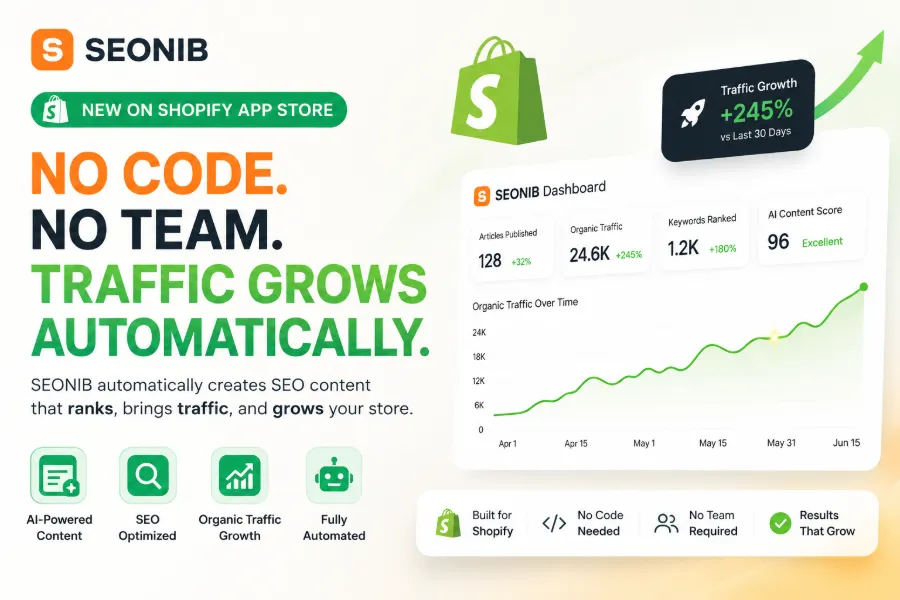
Traditional methods produce two articles per week, with operators spending two hours daily on content. An automated workflow can increase output to one article per day or more, while operators only need 15 minutes a day for preview and tweaks. More importantly, once the pipeline is running, it won’t break because you forget one day.
Step 1: Use AI to Automatically Discover High‑Potential Topics and Say Goodbye to Content Gaps
Topic selection is the starting point of all content work and the place where most people get stuck. Even experienced operators need to browse a lot and search to come up with five searchable titles each week. AI in this stage doesn’t replace your judgment; it organizes the input information and presents it to you.
AI continuously monitors hot trends in your industry, competitors’ content updates, and changes in keyword search volume. Based on this data, it automatically creates a topic pool, each entry accompanied by estimated search value and competition level. A well‑configured topic workflow can automatically generate 20–30 searchable topics per week. You no longer have to wonder “what to write today”; you simply pick the most suitable few from the pool.
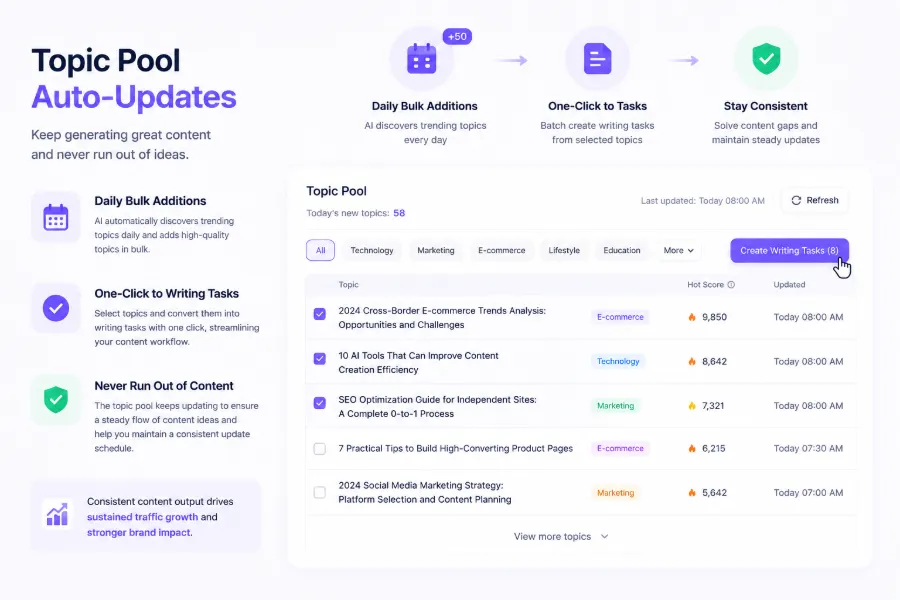
Here’s a common oversight among early adopters: the topic itself sets the ceiling for article traffic. Even the highest‑quality generated content can’t rank well if the chosen topic lacks search demand. In fact, 90 % of content ranking problems stem from picking the wrong topic, not from poor writing. Therefore, automating topic selection is the most valuable part of the workflow to build first.
If you’re still debating the difference between AI SEO tools and ordinary writing tools, you can learn about the differences here. There are workflow‑level differences worth noting.
Step 2: Generate SEO‑Friendly Full Articles with One Click from Keywords or Product Links
After the topic is set, the next step is to turn it into a structured article. AI uses the keywords, trending topics, or product links you provide to generate a draft that includes a title, paragraph structure, SEO metadata, and internal‑link layout.
Shopify merchants most often convert product links directly into buying guides. Input a product link, and AI extracts attributes, selling points, and specs, then automatically organizes them into a comparison article or purchase guide. From a human perspective, writing a similar article takes about two hours, whereas AI produces the first version in five minutes. The remaining time is spent on human preview, tone adjustment, and adding brand perspective.
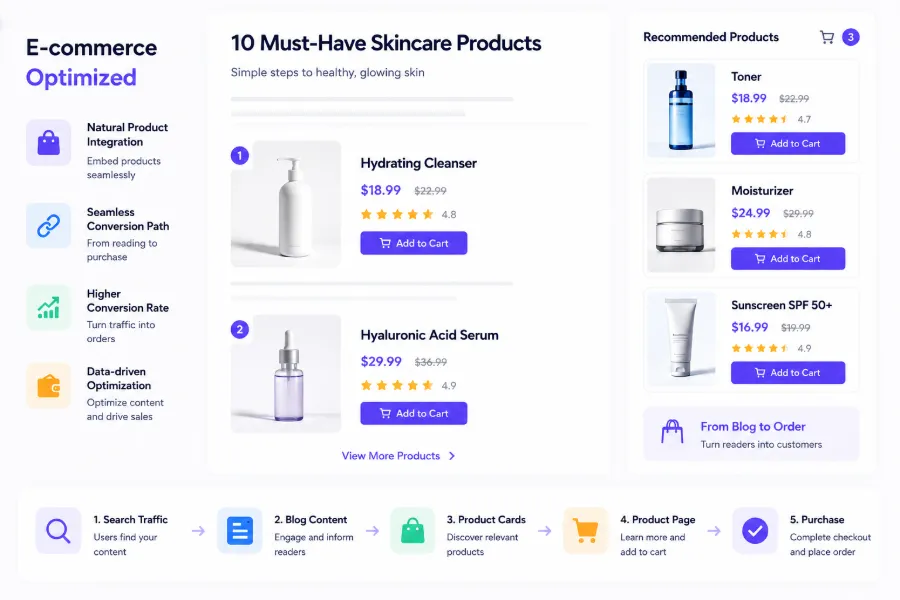
A key feature during content generation is the automatic insertion of product cards and internal links. Relevant product recommendations naturally appear in the article, and links to other site pages create a “content → conversion” path. For example, SEONIB can automatically generate blogs from product links, embedding product cards and SEO metadata based on configured brand information. With proper configuration, the generated article structure meets Google’s basic EEAT requirements.
A note: AI‑generated drafts can reach 70–80 % quality, but the quality‑control step cannot be skipped. After Google’s core update in March 2024, low‑quality AI content was heavily demoted. Many merchants initially chased quantity over quality, leading to severe duplication and poor post‑indexing rankings. The workflow must allocate time for human editing to check factual accuracy, language fluency, and brand consistency.
For SEO metadata and technical settings, refer to the 2026 Technical SEO Checklist, which lists site‑level optimization details to review before publishing. If you want a concrete example of turning a product page into a blog, see the article “Use SEONIB to Turn a Product Page into a Blog in One Click”. System configuration details are documented in the SEONIB Help Center, covering keyword settings, product‑card configuration, and publishing options.
Step 3: Set Publishing Rhythm, Let AI Distribute Content on Schedule
Once the content exists, the next step is publishing. Many merchants adopt a “write‑then‑publish” approach, which leads to irregular publishing cadence and slow authority building. Google’s site evaluation treats consistent content updates as a signal. Sites that publish one blog post daily for 60 consecutive days see indexing and keyword‑ranking growth roughly twice as fast as irregular publishers.
The core of automated publishing is a content calendar. You set the weekly frequency and time slots—e.g., every weekday at 10 AM—and AI follows that rhythm, automatically selecting topics from the pool, generating articles, queuing them, and publishing on schedule. You can preview the content distribution for the next one to two weeks and manually adjust or replace any unsatisfactory items.
The design principle here is “set once, run continuously.” You don’t need to log in daily to trigger publishing, nor worry about forgetting a post. The calendar ensures uninterrupted output. If you need a temporary change—say, an important event requires a special article—you can override the schedule.
Step 4: Generate Content Once, Auto‑Sync to All Sales Channels
Many Shopify merchants also operate SHOPLINE stores, Medium columns, or WordPress brand blogs. The same content must be repeated on each platform—login, paste, format, add images, set categories. One sync operation saves about 15 minutes per article. At a normal output of five articles per week, that’s five hours saved per month.
AI workflows now enable one‑click generation and automatic synchronization to multiple platforms. Some tools directly sync to Shopify and SHOPLINE blog systems and even automatically adjust formatting to match each platform’s requirements. For example, SEONIB can sync directly to Shopify and SHOPLINE; after connection, the publishing process is simplified to a single confirmation click in the AI backend.
Multi‑platform sync does more than save time. When the same content appears on multiple platforms, the brand’s coverage in search engines expands, and cross‑platform authority accumulates. In an era where AI search is becoming a major traffic source, this “content asset” cross‑platform coverage positively impacts overall search visibility.
If you use SHOPLINE for site building, see “How to Connect SHOPLINE Website with AI Tools”. The official integration of SEONIB in the SHOPLINE App Store (link) can also serve as a reference.
FAQ
Q1: What technical foundations are needed to build a complete AI content workflow?
No programming skills are required. You need three configurations: connect your store platform (e.g., Shopify or SHOPLINE), set up keywords and topic directions, and define the publishing calendar and times. Most tools offer a graphical interface; initial setup can be completed in 10–20 minutes.
Q2: Will AI‑generated content be judged as low‑quality by search engines?
It depends on post‑generation handling. Articles published directly from AI without review faced demotion after the March 2024 update. Adding a human editing step in the workflow ensures that AI‑generated content meets factual accuracy and natural language standards, and its search performance is comparable to human‑written content.
Q3: Is this workflow suitable for novice sellers with no technical background?
Yes. After the system is set up, daily tasks are limited to three actions: pick topics from the pool, preview and tweak AI‑generated articles, and confirm the publishing schedule. Technical connections and configurations are done once; no further technical work is needed.
Q4: Do I still need human editing after using the AI workflow?
Yes, but not a full rewrite for every article. A brief review—checking factual correctness, brand tone consistency, and key product information—typically takes 5–10 minutes for a 1,000‑word blog.
Q5: I mainly use Shopify; do I need multi‑platform sync?
If you only publish on Shopify, sync isn’t mandatory. However, configuring automatic Shopify connection is recommended to reduce manual publishing. If you plan to expand to other platforms later, set up sync in advance so you can enable it as soon as new channels are added.
Share Article


