Three AI Growth Modes, One Platform to Handle All
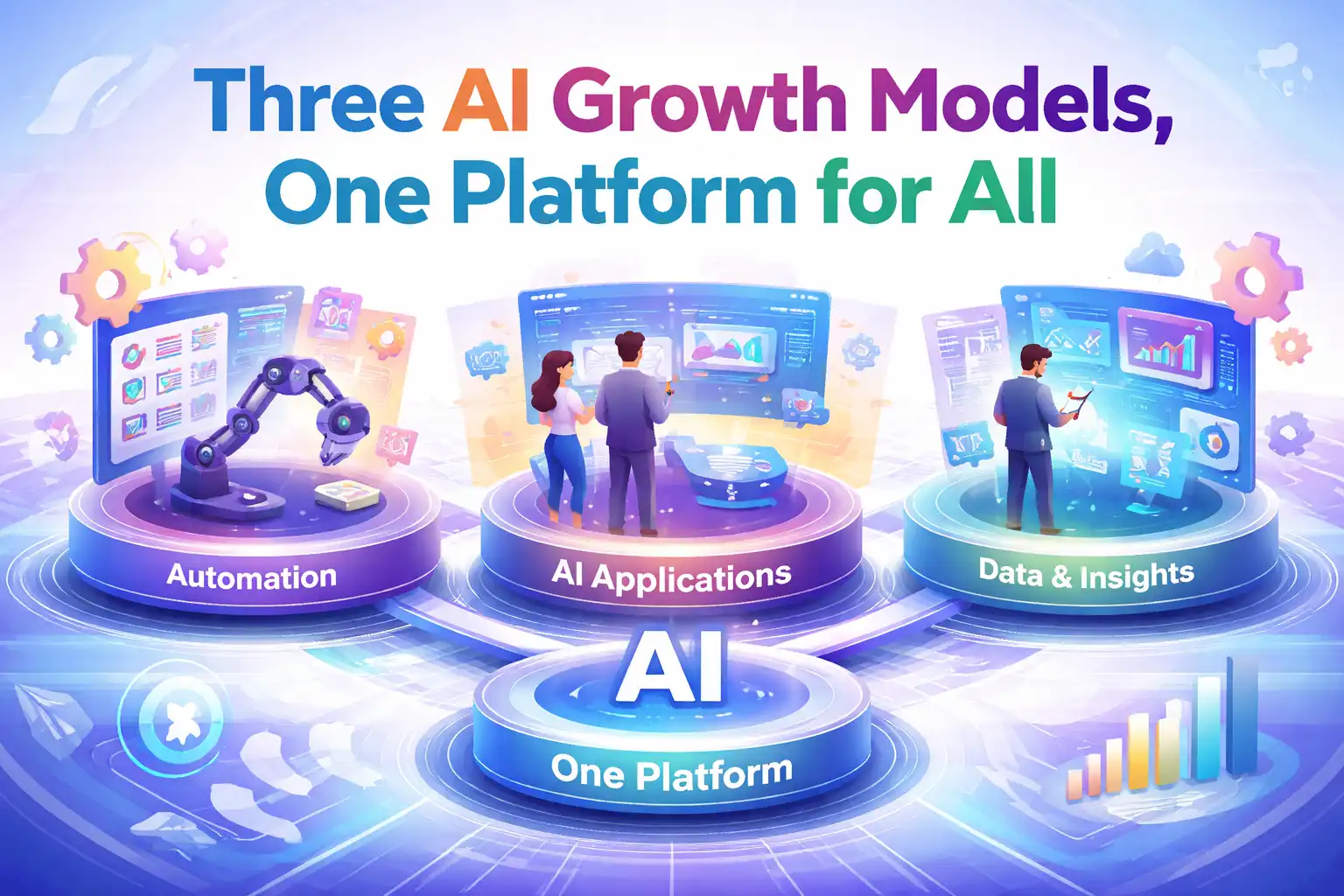
Every morning when I get to the office, the first thing I do is scroll through trending topics, then manually input keywords into various AI chat boxes, copy the generated results, and paste them into the backend to fill in SEO titles, select images, adjust formatting — I repeated this process for almost a year. The traffic? Almost unchanged. Until two months ago, I accidentally tried a platform called SEONIB and discovered it could feed the same content simultaneously to Google, AI search engines, and also turn it into landing‑page ad material. With a single click, three growth modes are triggered, and I finally could do something else after work.
Google Organic Traffic — Let Search Engines Chase You
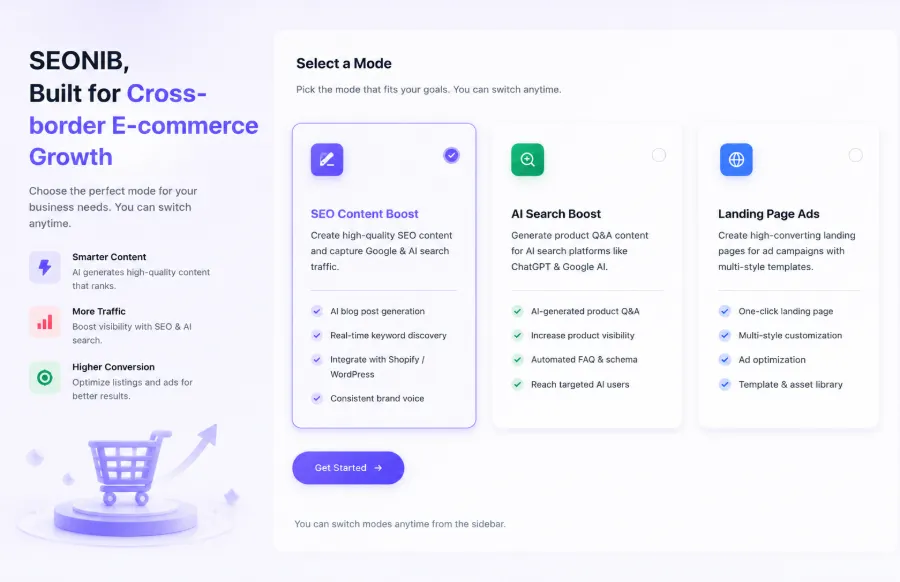
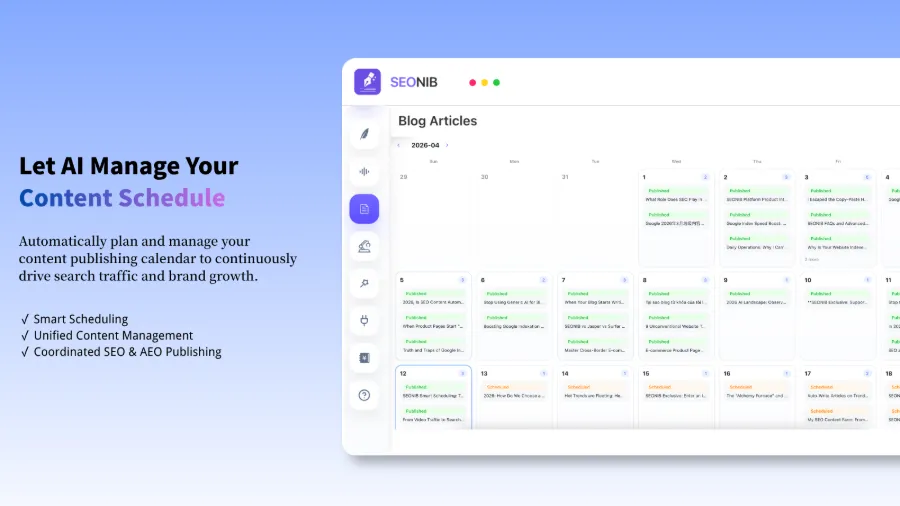
The first mode is called SEO Content Boost; in plain terms, it lets AI continuously produce content that search engines love. I used to think SEO required massive keyword research and competitor analysis, spending two hours each day just picking topics. This platform, however, has built‑in real‑time trend monitoring and keyword mining. AI automatically pushes high‑potential directions into the topic pool; I just glance, confirm, and the rest—scheduling, generation, publishing—is fully automated.
I kept the automatic posting of three articles per day. After two months, the site’s indexed pages doubled. This made me realize that the key isn’t writing quality but the stability of publishing frequency—Google perceives a site that posts daily very differently from one that posts weekly. Before starting, I ran through the basic settings and checked the platform’s Technical SEO Checklist to confirm the sitemap and core page metrics were fine, then launched the automatic scheduling tasks.
Of course, I hit a snag: I initially set the content source to generic industry keywords, which resulted in highly homogeneous articles, many flagged as low‑quality. Later I learned to use product links, hot social‑media posts, and even competitor article URLs as input sources, giving the AI‑generated content unique “anchor material.” This follows the logic in the article about How a Zero‑Backlink New Site Can Win at the Starting Line—a new site without backlinks can compete through content density and topic coverage speed.
AI Search Exposure — Getting Seen in ChatGPT, Gemini, Perplexity
Google traffic gradually rose, but I soon discovered a new problem: some potential customers no longer search on Google. They ask ChatGPT “Which brand’s product quality is better?” or check Perplexity “What are the hot recommendations in this category?” If my brand isn’t in the answer, a high Google ranking is useless.
So I explored the AI Search Boost mode, also known as AEO (AI Engine Optimization). Unlike traditional SEO, AEO aims to have your content cited by large language models as a reliable source. SEONIB’s AI Search mode generates structured Q&A pages and knowledge cards with clear citation markers and entity links—exactly the format that ChatGPT and Perplexity prefer when crawling.
The same product description, after AEO optimization, saw its citations in Perplexity jump fourfold. The principle is simple: AI search engines value clear structure and reliable citations more than keyword density. If you have existing reference links, you can quickly turn external material into structured Q&A using the platform’s Reference Link to Blog Guide.
There’s a hidden friction point: Google and AI search engines don’t have identical quality requirements. An article that performs well on Google may be completely ignored in ChatGPT’s context because LLMs care more about “what question this sentence directly answers” than “what keywords it contains.” SEONIB solves this by generating two versions within the same content framework—one SEO‑focused long article, one AEO‑focused Q&A—and automatically routing each to the appropriate traffic channel.
Landing‑Page Ads — Making Every Advertising Dollar Count
Anyone in cross‑border e‑commerce knows that Google Ads and Facebook Ads costs have skyrocketed in the past two years. My previous approach was to use the homepage or a category page as a landing page, resulting in dismal conversion rates and a persistently low quality score. The Landing Page Ads mode solves this: AI quickly creates dedicated landing pages for each ad group, matching the ad copy closely and delivering a better user experience.
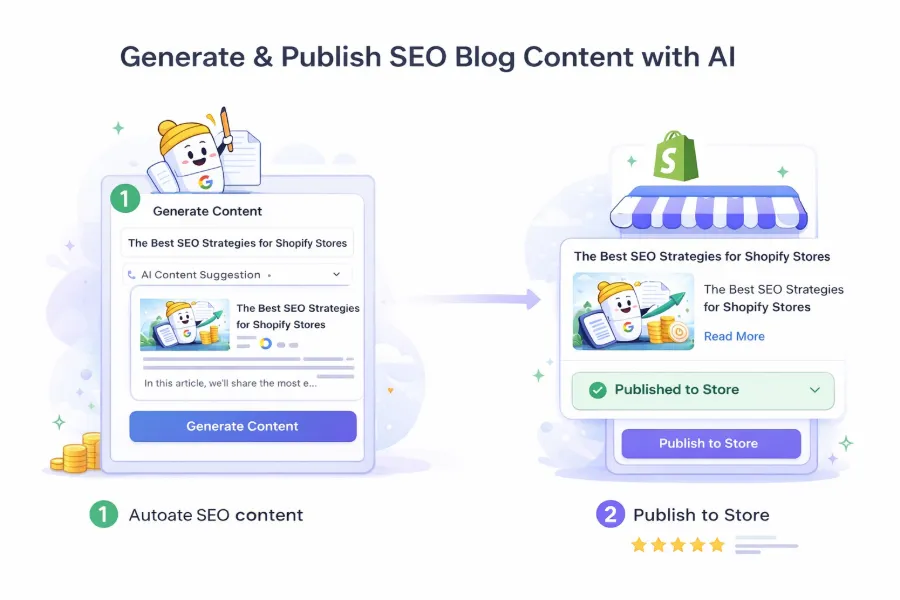
I first tried this feature during a clearance sale, generating a custom landing page for three distinct audience segments. After swapping the original landing pages, the conversion rate for the same ad group jumped 25%. I was surprised because everything else—ad copy, bidding strategy, targeting—remained unchanged. If you’re a Shopify merchant, you can connect your site to the platform; the steps are detailed in How to Connect Your Shopify Site to SEONIB.
It’s worth noting that landing‑page ads and SEO content are complementary. High‑conversion ad landing pages quickly reveal which keywords and selling points work best; that data can then guide SEO article topics, creating a data loop. For more practice on this idea, see the analysis “Turning Product Links into SEO Blogs That Continuously Pull Organic Traffic.”
How Do the Three Modes Work Together? A 24⁄7 Content Machine
After testing each mode individually, I realized they’re not three parallel lines but a complete content loop.
| Mode | Primary Traffic Source | Content Output | Ideal Use Case |
|---|---|---|---|
| SEO Content Boost | Google organic search | Long‑form blogs, guide pages | Build topical authority, capture long‑tail traffic |
| AI Search Boost | ChatGPT, Perplexity, etc. | Q&A pages, knowledge cards | Cut off competitor AI snippet citations |
| Landing Page Ads | Google Ads, Facebook Ads | Ad‑specific landing pages | Quickly validate keywords, boost ad quality score |
Once you set up a scheduling task, AI automatically breaks a single topic source into three different formats: a full SEO blog, a set of structured Q&A pages, and a high‑conversion landing page. Each mode’s schedule can be set independently—e.g., one blog per day, two Q&A per week, landing pages launched with ad groups.
The entire workflow, which used to take three manual hours, now shrinks to five minutes of AI automation. To dive deeper into building this loop from keyword selection to final publishing, refer to the platform’s SEONIB Complete Creation Guide: From Inspiration to Global Distribution. Of course, the system isn’t entirely hands‑off—I still spend ten minutes each week reviewing the upcoming content preview, because AI occasionally shows minor tone quirks. But compared with the previous two‑hour daily grind, this is a total liberation. If you want to try it yourself, the full workflow is clearly documented in the Help Center.
FAQ
Q1: Do I have to enable all three modes at once, or can I try just one?
You can start with any single mode. I began with only the Google organic traffic mode; after about a month, traffic improved, and then I added AI search exposure. It’s best to master the traffic channel you’re currently missing before expanding, to avoid the confusion of launching all three simultaneously.
Q2: I’m purely an e‑commerce operator and only care about Google traffic—does AI search exposure help me?
Yes, and possibly more than you think. Many shoppers ask AI search engines “What’s the difference between product A and product B?” or “Which brand has the best reputation in this category?” before buying. If your brand appears in ChatGPT or Perplexity answers, you capture a critical decision point even if Google ranking is high.
Q3: After scheduling, can I still manually edit the content before publishing?
Yes. Once content is generated in the scheduling queue, it enters a “pending review” state before the scheduled time. You can preview, edit, or cancel. After saving edits, AI will still publish according to the original schedule.
Q4: Managing three modes on one platform sound like a steep learning curve?
Not at all. The three modes share the same workflow: input source material, choose content type, set schedule frequency. Learn one, and the other two take only minutes to pick up. The interface is deliberately simple, without complex dashboards or reports to worry about.
Share Article